miércoles, 29 Jul 2026

Exclusive resources and tools for web design and development experts

Explore
BiblioWeb

Biblioweb.es

All About Web Technology

  • Start
  • Categories
    • Web Development and Plugins
    • AI & Web Automation
    • Cybersecurity and Web Security
    • WordPress Plugins
    • Web error solution
    • Web Hosting & Performance
  • WordPress
  • About Plugins
    • Yoast SEO
    • WooCommerce
    • Rank Math SEO
    • AI Engine
    • WP Rocket
    • WPCode
  • Tools
    • Generador de Contraseñas
    • Generador de Código QR
    • Contador de Palabras
    • Formateador JSON
    • Image to WebP Converter
    • Email Checker
  • Plugins Library
  • 🇪🇸 Español
  • 🇬🇧 English ✓
  • 🇩🇪 Deutsch
History
  • WordPress
  • WordPress plugins
  • Create website
  • WooCommerce
  • WordPress tricks
  • See everything
BiblioWebBiblioWeb
Font ResizerAa
  • News History
Search
  • Start
  • Categories
    • Web Development and Plugins
    • AI & Web Automation
    • Cybersecurity and Web Security
    • WordPress Plugins
    • Revolution
    • WooCommerce
    • Web Hosting & Performance
    • Troubleshooting web errors
    • Online Stores & Sales Funnels
  • WordPress
  • About Plugins
    • Rank Math SEO
    • AI Engine
    • WP Rocket
    • WPCode
  • Blog
    • 🇪🇸 Español
    • 🇬🇧 English ✓
    • 🇩🇪 Deutsch
  • My account
    • News History
  • Tools
    • Generador de Contraseñas
    • Generador de Código QR
    • Contador de Palabras
    • Formateador JSON
    • Image to WebP Converter
    • Email Checker
Have an existing account? Sign In
Follow Us
© 2026 Biblioweb. All Rights Reserved.
Cover » Blog » Don't start without them! The 5 Essential WordPress Plugins Every Beginner Needs for a 10/10 Website
Web Development and Plugins

Don't start without them! The 5 Essential WordPress Plugins Every Beginner Needs for a 10/10 Website

Adrian Alcala
Last updated: 15/07/2026 18:47
By Adrian Alcala
Share
9 Min Read
Plugins WordPress - ¡No empieces sin ellos! Los 5 Plugins WordPress Esenciales que todo novato necesita para una web de 10
Discover the 5 essential WordPress Plugins for beginners. Boost your website with SEO, design, speed, and security. Start creating your site today with Bibliow
SHARE

Starting a new online project is exciting, but it can also be a challenge. Especially when you delve into the vast universe of options your site offers. For beginners, choosing the WordPress Plugins the right ones from the start is crucial. Not only do they simplify the management of your platform, but they also boost your website to levels you might not have imagined. At Biblioweb, we understand that the foundation of a successful website lies in the intelligent choice of its tools. Get ready to discover the indispensable extensions that will transform your project into a robust and professional digital experience. With these tools, your path to an A+ website will be much simpler and more effective.

Contents
Why are WordPress Plugins so important?The Master Selection: Your First 5 Indispensable WordPress PluginsAdditional Tips for Managing Your PluginsConclusion: Your A+ Website Starts TodayFrequently Asked QuestionsFrequently Asked Questions

In this article

  1. Why are WordPress Plugins so important?
  2. The Master Selection: Your First 5 Indispensable WordPress Plugins
  3. Additional Tips for Managing Your Plugins
  4. Conclusion: Your A+ Website Starts Today
  5. Frequently Asked Questions

Why are WordPress Plugins so important?

Los plugins son como las “apps” de tu móvil, pero para tu sitio web. Añaden funcionalidades específicas sin necesidad de que sepas programar. Desde optimizar tu posicionamiento en buscadores hasta mejorar la seguridad o la velocidad, los plugins son el motor que permite a WordPress ser tan flexible y poderoso. Son la clave para personalizar tu sitio y adaptarlo a tus necesidades exactas, sin complicaciones técnicas. Cada plugin resuelve un problema o añade una característica, haciendo tu vida como webmaster mucho más fácil.

The Master Selection: Your First 5 Indispensable WordPress Plugins

Not all plugins are created equal, and overloading can be counterproductive. That's why we have selected the five WordPress plugins that every beginner should consider. These are the pillars upon which you will build a solid and efficient online presence.

1. Yoast SEO (or Rank Math): Your Ally for Positioning

Do you want your website to appear in the first Google results? Yoast SEO is your best friend. This plugin guides you in optimizing your content for search engines. It helps you improve your titles, meta descriptions, and the structure of your articles. Additionally, it automatically generates XML sitemaps, essential for Google to crawl your site. It's a powerful tool to improve your online visibility.

Mastering SEO is fundamental. Learn how to set up Yoast SEO step by step with our complete guide and start climbing positions in search engines. You'll see how your content efforts quickly pay off.

2. Elementor (or Gutenberg Blocks): Design without Limits

Forget the complexities of code. Elementor is a page builder visual that allows you to design your website by dragging and dropping elements. You'll be able to create impressive layouts, adapt responsive designs, and experiment with professional templates. It's ideal for giving your site a unique touch without being a design expert. Your vision will come true with just a few clicks.

You Might Also Like

Your WordPress website isn't just any blog: Discover the tricks to monetize it and grow! 💰
¡No te la juegues! 🎲 Los 5 tipos de Hosting WordPress explicados para que elijas el tuyo (¡y tu web sea un cohete!).
⚠️ Beginner's Mistake! The 5 WordPress Installation Failures That Destroy Your Website (and how to avoid them)
¿Tu WordPress no despega? 🚀 Google Analytics 4 es tu copiloto IA para medir, analizar y dominar tu nicho.

3. WP Super Cache (or LiteSpeed Cache): Extreme Speed

Your website's loading speed is crucial. It directly affects user experience and your SEO ranking. WP Super Cache generates static HTML files of your website. This drastically reduces loading time, as the server doesn't have to process PHP scripts every time someone visits a page. A fast website retains visitors and improves your ranking.

4. Wordfence Security (or Sucuri Security): Impregnable Fortress

Security is not a game. Your website is a valuable asset and needs protection against threats. Wordfence Security offers a robust firewall, a malware scanner, and brute-force attack protection. It will alert you to any suspicious activity. Keeping your site secure is vital to protect your data and the trust of your users.

5. Contact Form 7 (or WPForms): Connect with your Audience

Every website needs a simple way for visitors to get in touch. Contact Form 7 is a free and easy-to-use plugin for creating custom contact forms. You can add fields, configure confirmation messages, and manage entries. It's essential for lead generation and for offering a direct communication channel with your users.

Key: Discover the 5 essential WordPress Plugins for beginners

Choosing the right plugins from the start will save you headaches and allow you to focus your energy on what really matters: creating amazing content and connecting with your audience. Don't underestimate the power of these tools to transform your WordPress into a robust and efficient platform.

Additional Tips for Managing Your Plugins

  • Keep them updated: Updates usually include security improvements and new functionalities. Don't ignore them.
  • Don't overuse them: Less is more. Install only the plugins you truly need to avoid slowing down your site.
  • Download from reliable sources: Use the official WordPress repository or trusted developers to avoid malicious software.
  • Perform backups: Before installing or updating important plugins, always back up your site.

Conclusion: Your A+ Website Starts Today

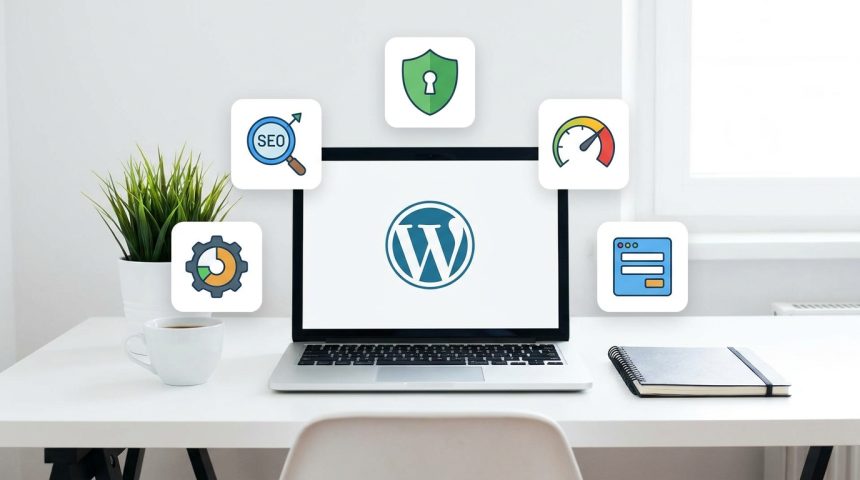
Now that you know the WordPress Plugins essential, you have a solid foundation to build a successful website. These tools will allow you to control the SEO, design, speed, and security of your platform. Start implementing them and watch your online project come to life with professionalism and efficiency. The difference between a good website and an excellent one often lies in the proper selection of its components. The future of your website is in your hands!

Ready to keep learning? Discover more WordPress and WooCommerce tutorials on our blog and take your skills to the next level.

Frequently Asked Questions

Do I need to install all these plugins at once?

No, you can install them as you need them or according to the priority you give to each functionality. However, security and SEO plugins should be among the first.

Is it safe to install third-party plugins?

Yes, if you download them from the official WordPress repository or from trusted developers with good ratings and support. Always research the plugin's reputation before installing it.

Do too many plugins slow down my website?

Yes, an excess of poorly optimized or incompatible plugins can significantly affect your website's performance. Choose wisely and keep only those that truly add value.

Related services

Interested? Discover how we can help you.

Contact →
Blog →
How Urban Areas Can Lead the Green Revolution →
The Role of Education in Shaping Future Leaders →

Frequently Asked Questions

What is WordPress Plugins?

Discover the 5 essential WordPress Plugins for beginners. Boost your website with SEO, design, speed, and security. Start creating your site today with Bibliow

Why are WordPress Plugins important?

Helps you get better results and make informed decisions about Don't start without them! The 5 Essential WordPress Plugins every beginner needs for an A+ website.

How to get started with WordPress Plugins?

Follow the steps described in this article and apply the recommendations according to your case.

TAGGED:theyyou startEssentialsPluginsWordPress PluginsWordPress
Share This Article
Email Copy Link Print
Next Article Crear wordpres - ¿Tu primera web en WordPress? Estos plugins son tu cheat sheet para triunfar sin dolores de cabeza Your first WordPress website? These plugins are your cheat sheet to succeed without headaches
como instalar wordpress - Cómo instalar WordPress: ¿CPanel, FTP o Instalación Rápida? Descubre el método perfecto para tu pro
Cómo instalar WordPress: ¿CPanel, FTP o Instalación Rápida? Descubre el método perfecto para tu proyecto (¡Tú eliges el camino para tu web!)
WordPress
wordpress instalacion - ¡Crea tu web YA! 💸 WordPress Instalación Gratis: Guía para montar tu sitio sin gastar un euro (¡y si
¡Crea tu web YA! 💸 WordPress Instalación Gratis: Guía para montar tu sitio sin gastar un euro (¡y sin ser un experto!)
WordPress
como instalar wordpress - De cero a héroe web: Descubre cómo instalar WordPress y empezar a crear tu página web hoy mismo (¡T
De cero a héroe web: Descubre cómo instalar WordPress y empezar a crear tu página web hoy mismo (¡Tu negocio te lo agradecerá!).
WordPress
Ilustración de fragmentos de código organizados en una carpeta, representando un gestor de snippets
WPCode: el gestor de snippets de WordPress que se ha vuelto imprescindible
WordPress Plugins
Advertisement

You May Also Like

WordPress - ¡Adiós a la Lentitud! 🚀 Tu WordPress Volará: Aumenta el Límite de Memoria PHP en 3 Pasos (¡Guía para Novatos y E
Troubleshooting web errorsWordPress

Goodbye to Slowness! 🚀 Your WordPress Will Fly: Increase PHP Memory Limit in 3 Steps (Guide for Novices and Experts!)

July 15, 2026
Instalar Yoast SEO - ¡Adiós al Caos SEO! Instala Yoast SEO en WordPress y Activa tu Superpoder para Google (Guía Rápida y Div
Web Development and Plugins

Goodbye to SEO Chaos! Install Yoast SEO on WordPress and Activate Your Google Superpower (Quick and Fun Guide)

July 15, 2026
WordPress - WordPress Lento NO MÁS: Descubre el 'Truco PHP' que los Pro Usan para Acelerar Sus Webs en 3 Pasos
WordPress

Slow WordPress NO MORE: Discover the 'PHP Trick' Pros Use to Speed Up Their Websites in 3 Steps

18/07/2026
wordpress instalacion - ¡No te compliques! 🤯 Guía Definitiva de Instalación de WordPress: ¿Hosting, Cpanel o Local? Elige tu
WordPress

¡No te compliques! 🤯 Guía Definitiva de Instalación de WordPress: ¿Hosting, Cpanel o Local? Elige tu aventura para #CrearPaginaWeb

24/07/2026
Show More
  • More News:
  • WordPress
  • Discover
  • Create
  • instalación
  • Install
  • wordpress instalacion
  • Google
  • page
  • Create webpage
  • Plugins
  • WooCommerce
  • Yoast
  • instalando wordpress
  • future
  • instalando
  • create
  • I pay
  • Hosting
  • Guía
  • Install WordPress
BiblioWeb

Biblioweb.es

Web Technology News

Information you can trust: Stay up-to-date instantly with the latest news and live updates. From politics and technology to entertainment and much more.

YouTube Medium RSS

Links of interest

Subscribe now to receive real-time updates on the latest news!

Legal

  • Legal Notice
  • Terms and Conditions
  • Cookies Policy
  • Privacy Policy

Latest news

como instalar wordpress - Cómo instalar WordPress: ¿CPanel, FTP o Instalación Rápida? Descubre el método perfecto para tu pro

Cómo instalar WordPress: ¿CPanel, FTP o Instalación Rápida? Descubre el método perfecto para tu proyecto (¡Tú eliges el camino para tu web!)

29/07/2026
Continue reading
wordpress instalacion - ¡Crea tu web YA! 💸 WordPress Instalación Gratis: Guía para montar tu sitio sin gastar un euro (¡y si

¡Crea tu web YA! 💸 WordPress Instalación Gratis: Guía para montar tu sitio sin gastar un euro (¡y sin ser un experto!)

27/07/2026
Continue reading

© biblioweb.es 2026. All Rights Reserved.

Welcome to Foxiz
Username or Email Address
Password

Lost your password?

We use our own and third-party cookies for technical, analytics and, where applicable, marketing purposes. You can accept all cookies, reject them, or configure your preferences. More information

Necessary

Essential for the website to function. Always active.

Preferences

Allow remembering choices such as language or region.

Analytics

Help us understand how the website is used in order to improve it.

Marketing

Used to display relevant advertising and measure its effectiveness.