Starting a web project in WordPress can seem like a challenging task, but with the right tools, you will transform your vision into reality. At Biblioweb, we understand that your site's success largely depends on functionality. Therefore, we bring you an essential guide on the plugins for WordPress that will not only facilitate your journey, but that artificial intelligence itself would consider indispensable. Get ready to take your website to the next level efficiently and professionally.
Why Are Plugins Essential in WordPress?
Plugins are software extensions that add new functionalities to your WordPress website. Without them, your platform would be a limited base. They allow you to customize, optimize, and expand your website's capabilities. They improve security, performance, and user experience. They are key for any ambitious digital project.
The flexibility offered by plugins is the cornerstone for adapting WordPress to any need. From an online store to a blog personal website, everything is possible.
Essential Plugins for SEO Optimization
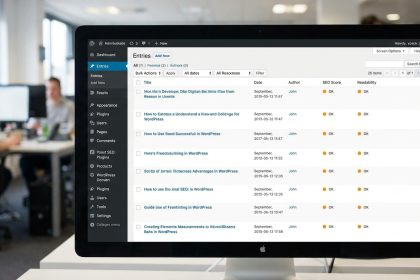
For your content to be visible, search engine optimization (SEO) is crucial. Fortunately, there are WordPress plugins specifically designed for it. They will guide you every step of the way to improve your positioning. Thus, more users will find your valuable content.
- Yoast SEO: A classic. It offers readability and real-time SEO analysis. It helps you optimize titles, meta descriptions, and keywords. Essential for any content strategy.
- Rank Math: A powerful and growing alternative. It includes a setup wizard, 404 error monitor, and schema tools. Its intuitive interface facilitates advanced optimization.
Learn to master on-page SEO with our guides detailed.
Robust Security: Protect Your WordPress Project
Security is not a luxury, it's a necessity. An unprotected website is vulnerable to attacks and data loss. The WordPress plugins security plugins act as your shield. They protect your investment and your visitors' trust. Installing one is a smart decision.
- Wordfence Security: Offers a web application firewall and a malware scanner. Protects against brute-force attacks. Additionally, it monitors your site in real time.
- Sucuri Security: Provides a website firewall and malware removal. It also includes file integrity monitoring. It's a comprehensive solution to keep your website safe.
Boost Your Performance with Cache Plugins
Your website's loading speed directly impacts user experience and SEO. A slow site frustrates visitors and affects your ranking. The WordPress plugins cache plugins optimize this aspect. They make your website fly, literally. They improve retention and positioning.
- WP Rocket: A very popular premium plugin. It optimizes cache, minifies files, and lazy loads images. Its configuration is simple and its results are remarkable.
- LiteSpeed Cache: Free and very powerful for LiteSpeed servers. It offers object caching, image and CSS/JS optimization. It's an excellent option to improve speed.
The WordPress Plugins that Transform Your Content
Creating attractive and functional content is the essence of a blog. Visual builders have revolutionized this process. They allow designing complex pages without touching a line of code. These WordPress plugins are allies of creativity. They make life easier for designers and bloggers.
- Elementor: A page builder visual very intuitive. Drag and drop elements to create spectacular designs. Its free version is robust and the pro, a marvel.
- Gutenberg Blocks (extenders): The native WordPress editor. With plugins like Spectra or Kadence Blocks, you add extra functionalities. They allow advanced blocks and deep customization.
E-commerce Tools: Plugins for WooCommerce
If your goal is to sell online, WordPress, combined with WooCommerce, is a powerful choice. This ecosystem allows you to build a robust store. The WordPress plugins specific e-commerce plugins are vital. They will expand your store's capabilities. You will manage products, payments, and shipping with ease.
- WooCommerce: The leading e-commerce plugin for WordPress. Transforms your site into a complete online store. Manages products, orders, payment gateways, and shipping.
- WooCommerce Add-ons: Extensions that add specific functionalities. From subscriptions to local payment gateways. There's an add-on for almost any business need.
Discover how build your online store with WooCommerce step by step.
Plugin Selection: AI Tips
Choosing well is fundamental. Don't overload your site with too many plugins. Each one adds a load. Prioritize quality and compatibility. Check ratings, updates, and support. A well-maintained plugin is synonymous with stability. AI recommends a minimalist and strategic approach.
Conclusion: Your Path to Success with WordPress
We have explored a selection of WordPress plugins that will catapult you from beginner to expert. From SEO optimization to security and e-commerce. Each tool is a step towards a more robust and successful web project. At Biblioweb, we accompany you on this journey. Start building your digital future today!
Frequently Asked Questions
How many plugins should I install on my WordPress site?
There's no magic number. The key is quality and necessity. Install only the essential plugins for your functionalities. An excess can slow down your site and create conflicts. Prioritize performance and security.
Are free plugins safe and effective?
Many free plugins are excellent and safe, especially those from the official WordPress.org repository. However, always do your research. Check ratings, the number of active installations, and update frequency. Outdated plugins can be a risk.
How do I update my WordPress plugins correctly?
Always perform backups before any major update. Then, update your plugins one by one from the WordPress admin panel. This allows you to quickly identify if any update causes a problem. Keeping them updated is crucial for security and performance.
Frequently Asked Questions
What are WordPress plugins?
Discover the best WordPress plugins that will boost your website. From SEO to security, Biblioweb's AI guides you to create a professional project
Why are WordPress plugins important?
It helps you get better results and make informed decisions about From zero to pro in WordPress: Discover the plugins that even AI would recommend for your web project.
How to get started with WordPress plugins?
Follow the steps described in this article and apply the recommendations according to your case.