Monday, 26 Oct 2026

Exclusive resources and tools for web design and development experts

Explore
BiblioWeb

Biblioweb.es

All About Web Technology

  • Start
  • WordPress
    WordPress
    • All about WordPress26
    • Plugins de WordPress16
    • Desarrollo web y plugins15
    Rendimiento y seguridad
    • Hosting y rendimiento8
    • Ciberseguridad web7
    • Solución de errores5
    Negocio e IA
    • IA y automatización10
    • WooCommerce y tiendas online6
    Lo último
    Restaurant Menu Widget — WordPress Plugin27 Sep 2026JetStudio Bookings — WordPress Plugin27 Sep 2026SC Heatmap — WordPress Plugin27 Sep 2026
    Ver el blog completoHistorial de noticiasAbout usNewsletter semanal
  • Plugins de WordPress
    Fichas de plugins
    • WP Translate Master
    • Cart Tool Kit
    • SC Heatmap
    • JetStudio Bookings
    • Restaurant Menu Widget
    • WP SEO Pro
    • Rank Math SEO in 2026
    • WP Rocket
    • WPCode
    • AI Engine para WordPress
    Comparativas y guías
    • The best SEO plugins for WordPress
    • The best AI plugins for WordPress
    • The best booking plugins for WordPress
    • WordPress multiidioma
    • Cómo crear un formulario de contacto en WordPress
    • Stripe o PayPal
    Por temática
    • Plugins de WordPress16
    • WooCommerce y tiendas online6
    • Desarrollo web y plugins15
    • IA y automatización10
    • Hosting y rendimiento8
    BibliotecaPlugin Library

    Los plugins de WordPress que desarrollamos: qué hace cada uno, cómo se ve en acción y dónde conseguirlo.

    Entrar en la Pluginteca
    Toda la categoría Plugins de WordPressHerramientas gratis
  • Tools
    Herramientas gratis, sin registro y desde el navegador
    Generador de contraseñasContraseñas largas y aleatorias sin salir del navegador.Generador de QRCódigos QR en PNG de alta resolución, sin caducidad.Contador de palabrasPalabras, caracteres y tiempo de lectura en vivo.JSON FormatterFormatea, valida y localiza el error exacto.WebP ConverterPNG, JPG y PDF a WebP para que la web cargue…PDF a WebPCada página del PDF, en una imagen ligera.Comprobador de emailsSintaxis, correos temporales y registros MX.Compresor de vídeoBaja el peso del vídeo sin subirlo a ningún servidor.Vídeo a MP3Extrae el audio de un vídeo en un par de clics.Firmas de emailFirma en HTML lista para Gmail y Outlook.
    También te sirveHerramientas externas que merecen la pena

    DNS Checker, Query Monitor, Local WP y el resto del kit que usamos a diario, con para qué sirve cada una.

    Ver la selección
    Todas las herramientasPlugin LibraryRecíbelas por correo
  • Plugin Library
  • Español
  • English ✓
  • 🇨🇳 中文(简体)
  • Français
  • Deutsch
  • Italiano
Newsletter
  • WordPress
  • Plugins de WordPress
  • WooCommerce
  • IA para WordPress
  • Security
  • Herramientas gratis
  • See everything
BiblioWebBiblioWeb
Font ResizerAa
  • WordPress
  • Plugins
  • WooCommerce
  • Errores
  • Tools
Search
  • Start
  • WordPress
    • All about WordPress
    • WordPress Plugins
    • Web Development and Plugins
    • AI and Web Automation
    • WooCommerce
    • Hosting and Web Performance
    • Cybersecurity and Web Security
    • Web Error Resolution
  • Plugins de WordPress
    • Rank Math SEO
    • AI Engine
    • WP Rocket
    • WPCode
    • WP Translate Master
    • Cart Tool Kit
    • SC Heatmap
    • JetStudio Bookings
    • Restaurant Menu Widget
    • WP SEO Pro
  • Tools
    • Password Generator
    • QR Code Generator
    • Word Counter
    • JSON Formatter
    • Image to WebP Converter
    • Email Checker
    • Video Compressor for Web
    • Email Signature Generator
    • Video to MP3 Converter
    • PDF to WebP Converter
  • Plugin Library
  • Blog
    • Español
    • English ✓
    • 🇨🇳 中文(简体)
    • Français
    • Deutsch
    • Italiano
Síguenos
© 2026 BiblioWeb — All rights reserved.
Cover » Blog » Accesibilidad web en WordPress: auditarla con IA en una tarde
AI & Web Automation

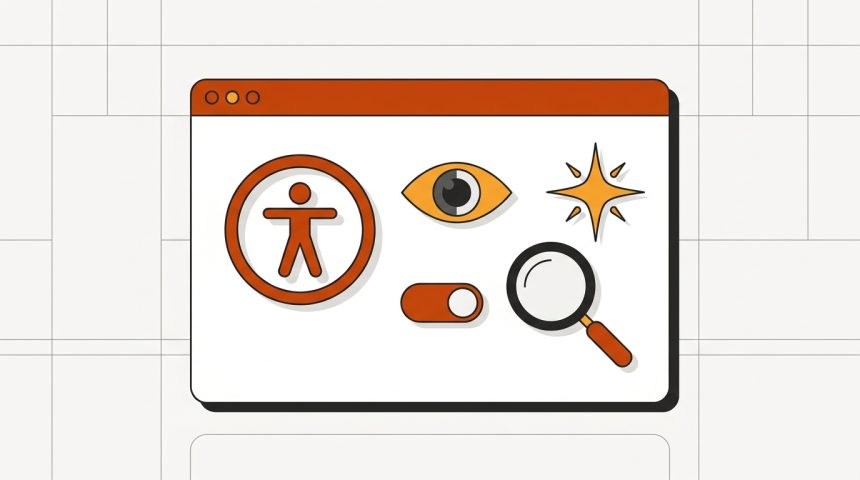
Accesibilidad web en WordPress: auditarla con IA en una tarde

Adrián Alcalá
Actualizado: 27/09/2026 20:14
By Adrián Alcalá
Share
13 min de lectura
Accesibilidad web en WordPress con IA
SHARE

La accesibilidad web tiene mala fama de tema aburrido y caro, y suele quedarse en la lista de «cuando tengamos tiempo». Merece la pena replantearlo por tres motivos muy concretos: afecta a mucha más gente de la que parece, buena parte de lo que arreglas mejora la web para todos, y desde hace unos años hay obligaciones legales que alcanzan a bastantes empresas privadas en España.

Índice
Antes de empezar: qué detecta una máquina y qué noPaso 1: barrido automáticoPaso 2: contraste de colorPaso 3: textos alternativos que sirvanStep 4: keyboard navigationStep 5: formsStep 6: heading structureAbout automatic "accessibility overlays"Frequently Asked QuestionsTo finish

La buena noticia: la mayor parte de los problemas de accesibilidad de un WordPress normal son cuatro o cinco cosas repetidas, se detectan en una tarde y se arreglan sin rehacer nada.

Antes de empezar: qué detecta una máquina y qué no

Esto marca todo el enfoque, así que va primero.

Las herramientas automáticas —y la IA entre ellas— detectan de forma fiable en torno a un tercio de los problemas reales de accesibilidad. Son excelentes en lo medible: contraste de color insuficiente, una imagen sin atributo alt, un campo de formulario sin etiqueta, una jerarquía de encabezados rota.

Lo que no pueden juzgar es el sentido. Una imagen puede tener un alt que diga «imagen1.jpg» y la máquina lo dará por correcto porque el atributo existe. Un enlace que dice «haz clic aquí» pasa cualquier validador y es inútil para alguien que navega saltando de enlace en enlace.

Conclusión práctica: usa las herramientas para el barrido inicial y reserva media hora para probar a mano. Las dos partes juntas cubren la gran mayoría; ninguna de las dos sola basta.

You Might Also Like

SEO local en WordPress con IA: guía para negocios españoles
How to automate tasks in WordPress (cron, plugins and flows)
AI tools for web developers: which ones to use and for what
Will AI replace web developers? What the data says

Paso 1: barrido automático

Empieza con dos extensiones de navegador gratuitas: WAVE y axe DevTools. Las dos analizan la página abierta y señalan los problemas sobre el propio diseño.

Pásalas por cuatro páginas representativas: la portada, una entrada del blog, una página con formulario y —si vendes— una ficha de producto. No hace falta más para el diagnóstico inicial: los problemas de un WordPress son casi siempre del tema y de las plantillas, así que se repiten.

Apunta lo que salga. Verás que se agrupa en muy pocas categorías.

Paso 2: contraste de color

Es el problema número uno, con diferencia, y el más fácil de arreglar.

La norma pide una relación de contraste de al menos 4,5:1 entre texto y fondo para texto normal, y 3:1 para texto grande. En la práctica, los sospechosos habituales son siempre los mismos: el texto gris claro sobre blanco que queda tan elegante, los botones de color de marca con texto blanco encima, el texto sobre una imagen de cabecera y los enlaces del pie de página.

Aquí la IA ayuda de una forma muy concreta: dale tu paleta de marca y pídele combinaciones válidas.

«Mi paleta de marca es: [lista de colores en hexadecimal]. Calcula la relación de contraste de cada combinación de texto sobre fondo y dime cuáles cumplen WCAG AA (4,5:1 para texto normal). Para las que no cumplan, propón el ajuste mínimo del color de texto que sí cumpla manteniendo el tono lo más parecido posible al original.»

Ese «ajuste mínimo manteniendo el tono» es la clave para que el diseñador no se eche las manos a la cabeza: no se trata de cambiar la marca, sino de oscurecer un gris lo justo.

Paso 3: textos alternativos que sirvan

The alt de una imagen es lo que oye alguien que usa un lector de pantalla. También es lo que Google usa para entender la imagen, así que esto es accesibilidad y SEO a la vez.

Tres reglas que resuelven el noventa por ciento de los casos:

  • Describe la función, no la imagen. If the photo illustrates a step in a tutorial, the alt should say what is seen in that step, not "screenshot".
  • If the image is decorative, leave the alt empty. Truly empty (alt=""), not absent. This way the screen reader skips it instead of reading the file name.
  • If the image is a link or a button, the alt describes the destination, not the drawing. A shopping cart icon that leads to the cart is "View cart", not "cart icon".

To review the current status, in Media > Library you can see the alternative text field. If you have hundreds of images, prioritize: those on the most visited pages and those that are links.

AI can propose alternative texts from images, and it does so reasonably well. But review them: it describes what it sees, without knowing why the image is placed on your page, and that difference is precisely what matters.

Step 4: keyboard navigation

No tool does this test for you, and it's the one that uncovers the most problems. It takes five minutes.

Open your website, leave the mouse still, and navigate it only with the tab key:

  1. Do you always see where you are? There must be a visible indicator on the focused element. Many themes remove it for aesthetics with a outline: none, and that leaves those who navigate this way blind.
  2. Does the order make sense? It must follow the visual order. If it jumps from the menu to the footer and back to the middle, there's a structure problem.
  3. Can you open the dropdown menu? Menus that only respond to mouse hover are inaccessible by keyboard.
  4. Can you close pop-up windows? Try with Escape. A cookie notice or a subscription window that cannot be closed with the keyboard blocks the entire website.
  5. Do you get stuck somewhere? An embedded player or a map that captures focus and doesn't release it is a trap.

Point 4 deserves special attention because it affects almost all websites: between the cookie notice, some email capture window, and some chat, there are quite a few candidates to block keyboard navigation.

Step 5: forms

Forms concentrate a lot of problems because they are the most interactive part.

Check that each field has a truly associated label —not just example text inside the field, which disappears when typing—, that error messages explain what to correct instead of saying "error", that the error is also announced with text and not just by painting the border red, and that mandatory fields are indicated with more than a colored asterisk.

If you use a forms plugin, much of this comes resolved by default. If the form is from the theme or handmade, review it entirely. Our guide on contact forms in WordPress reviews the most common options.

Step 6: heading structure

Many people use headings for their font size: "I want this text big, I'll put H2". For someone navigating with a screen reader, headings are the document's index and jumping from one to another is the main way to move.

The rules: a single H1 per page, which is the title; not skipping levels (from H2 a H4 directly, no); and that the heading text describes the section.

To review it quickly, the WAVE extension has an outline view that shows you the hierarchy at a glance. You can also paste the page's HTML into an AI and ask it for the heading tree with level breaks marked.

About automatic "accessibility overlays"

It deserves a warning, because they are advertised a lot.

They are plugins or scripts that promise to make your website accessible and comply with regulations by adding a line of code and a floating button with contrast and font size options.

It's worth knowing that these solutions have received serious criticism from disability user associations and accessibility specialists, and have been subject to lawsuits in several countries precisely for not solving what they promise. In many cases, they add a layer that interferes with the screen readers that the person already has configured.

There's no shortcut: accessibility is fixed in the HTML and CSS of the website, not with a layer on top. If you're going to invest money, invest it in correcting the theme, not in covering up the problem.

Frequently Asked Questions

Am I legally obliged?

In Spain, the public sector has been obliged for years. For private companies, Law 11/2023 transposes the European Accessibility Directive and extends obligations to certain digital services —e-commerce, banking, transport, among others— with application from June 2025, with exceptions for micro-enterprises. If your website sells or provides one of the covered services, it is advisable to consult an advisor, because the specific scope depends on your activity and size.

How long does it take to make it decent?

An audit like this, an afternoon. Correcting what's detected, between a few hours and a few days depending on how much the theme has been touched. The bulk is usually contrast and alternative texts, which are a lot of mechanical work but no technical difficulty.

Does it improve SEO?

Not directly, but many of the corrections coincide with good practices that do count: descriptive alternative texts, consistent heading hierarchy, links with meaningful text, and semantic HTML. It's one of those cases where fixing one thing improves the other by rebound.

Can I ask AI to correct the code directly?

For limited changes —add a aria-label, correcting a heading hierarchy, adjusting a color— works well. To rewrite a theme template, no: it doesn't have the context of your website and will break something. And if you touch theme files, always do it in a child theme and with backup.

To finish

Accessibility has been sold for years as a big and expensive project, and for a complex website it can be. For a normal WordPress, no: it's contrast, alternative texts, keyboard, forms, and headings. Five categories, an afternoon of review, and a while of corrections.

AI is a good co-pilot for the calculable parts and for generating drafts, and it's not useful for the most revealing test, which is navigating your own website with the tab key. Do that one yourself: it's five minutes and it's the most revealing of all.

If you like this type of practical reviews, in our free tools library you have utilities that work entirely in your browser, without uploading anything to any server.


Share This Article
Email Copiar enlace Print
ByAdrián Alcalá
Síguele:
Adrián Alcalá es desarrollador WordPress y consultor SEO, autor del plugin WP Translate y creador de BiblioWeb. Desde aquí comparte guías, tutoriales y herramientas gratuitas para quienes crean, optimizan y posicionan páginas web. Lleva años ayudando a negocios de toda España a sacar el máximo partido a WordPress, y todo lo que publica está probado en proyectos reales.
Previous Article Datos estructurados en WordPress generados con IA Datos estructurados en WordPress con IA: cómo generar schema correcto sin saber programar
Next Article Ilustración del plugin SC Heatmap: mapa de calor de clics y scroll sobre una web, con los datos en tu servidor SC Heatmap — WordPress Plugin
Ilustración del plugin Restaurant Menu Widget: carta de restaurante con platos y precios editables en Elementor
Restaurant Menu Widget — WordPress Plugin
WordPress Plugins
Ilustración del plugin JetStudio Bookings: formulario de citas por pasos con calendario y bandeja de solicitudes
JetStudio Bookings — WordPress Plugin
WordPress Plugins
Ilustración del plugin SC Heatmap: mapa de calor de clics y scroll sobre una web, con los datos en tu servidor
SC Heatmap — WordPress Plugin
WordPress Plugins
Datos estructurados en WordPress generados con IA
Datos estructurados en WordPress con IA: cómo generar schema correcto sin saber programar
AI & Web Automation

También te puede interesar

AI for web agencies: real uses
AI & Web Automation

AI for web agencies: real uses that save hours

28/09/2026
Automatic translation with AI in WordPress
AI & Web Automation

Automatic translation with AI in WordPress: advantages, risks and SEO

27/08/2026
WordPress - The future is here: Master AI to create blog titles that boost your WordPress (And forget about the competition
AI & Web AutomationWordPress

How to create blog titles with AI for WordPress

28/09/2026
WordPress - The ultimate trick: 5 AI Prompts that will transform your blog titles in WordPress (Stop being invisible
AI & Web Automation

5 AI prompts to improve your WordPress blog titles

28/09/2026
  • Temas:
  • WordPress
  • WordPress Plugins
  • Web Development and Plugins
  • AI & Web Automation
  • Web Hosting & Performance
  • Cybersecurity and Web Security
  • WooCommerce
  • Troubleshooting web errors
BiblioWeb

Biblioweb.es

Web Technology News

Information you can trust: practical web technology guides and solutions — WordPress, plugins, cybersecurity, hosting, performance, and error troubleshooting.

RSS

Enlaces de interés

  • About us
  • Contact
  • Free tools
  • Plugin Library

Recibe nuestras nuevas guías de WordPress en tu correo. Suscríbete a la newsletter.

Legal

  • Legal Notice
  • Terms and Conditions
  • Cookies Policy
  • Privacy Policy

Últimas novedades

Ilustración del plugin Restaurant Menu Widget: carta de restaurante con platos y precios editables en Elementor

Restaurant Menu Widget — WordPress Plugin

27/09/2026
Continue reading
Ilustración del plugin JetStudio Bookings: formulario de citas por pasos con calendario y bandeja de solicitudes

JetStudio Bookings — WordPress Plugin

27/09/2026
Continue reading

© 2026 BiblioWeb — All rights reserved.

Gestionar consentimiento
Utilizamos tecnologías como las cookies para almacenar y/o acceder a la información del dispositivo. Lo hacemos para mejorar la experiencia de navegación y para mostrar anuncios (no) personalizados. El consentimiento a estas tecnologías nos permitirá procesar datos como el comportamiento de navegación o los ID's únicos en este sitio. No consentir o retirar el consentimiento, puede afectar negativamente a ciertas características y funciones.
Funcional Always active
El almacenamiento o acceso técnico es estrictamente necesario para el propósito legítimo de permitir el uso de un servicio específico explícitamente solicitado por el abonado o usuario, o con el único propósito de llevar a cabo la transmisión de una comunicación a través de una red de comunicaciones electrónicas.
Preferences
El almacenamiento o acceso técnico es necesario para la finalidad legítima de almacenar preferencias no solicitadas por el abonado o usuario.
Estadísticas
El almacenamiento o acceso técnico que es utilizado exclusivamente con fines estadísticos. El almacenamiento o acceso técnico que se utiliza exclusivamente con fines estadísticos anónimos. Sin un requerimiento, el cumplimiento voluntario por parte de tu proveedor de servicios de Internet, o los registros adicionales de un tercero, la información almacenada o recuperada sólo para este propósito no se puede utilizar para identificarte.
Marketing
El almacenamiento o acceso técnico es necesario para crear perfiles de usuario para enviar publicidad, o para rastrear al usuario en una web o en varias web con fines de marketing similares.
  • Manage options
  • Manage services
  • Manage {vendor_count} vendors
  • Read more about these purposes
Ver preferencias
  • {title}
  • {title}
  • {title}
Accede a BiblioWeb
Usuario o correo electrónico
Contraseña

¿Has olvidado tu contraseña?