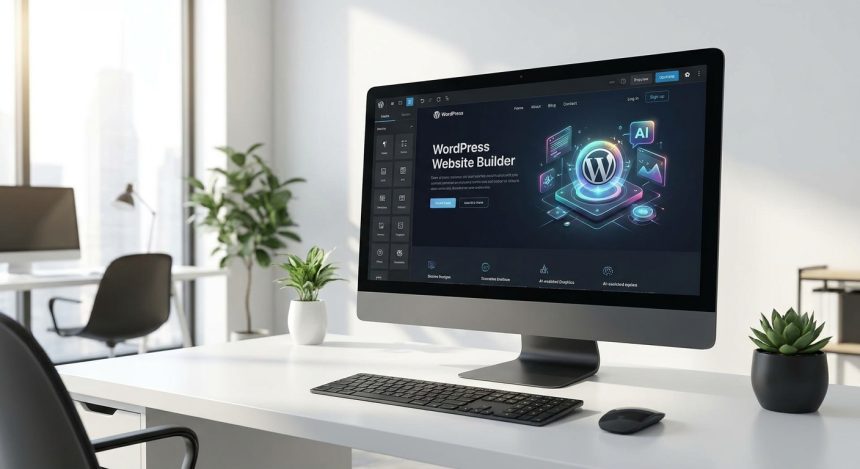
Do you want to Diseñar Web WordPress que no solo se vea increíble, sino que también funcione como un reloj suizo y deje a tu audiencia boquiabierta? En la era digital actual, tener una presencia online profesional es indispensable. Aquí te mostraremos cómo seleccionar el tema ideal y aprovechar la inteligencia artificial para llevar tu proyecto web al siguiente nivel, garantizando un impacto brutal desde el primer momento.
The Strategic Theme Choice: Beyond Aesthetics
Seleccionar el tema adecuado para tu WordPress es la base de todo. No se trata solo de que sea bonito; debe ser rápido, responsivo, compatible con constructores de páginas y optimizado para SEO. Un buen tema facilita la personalización y asegura una experiencia de usuario fluida, lo que es vital para retener visitantes y convertir.
Consider themes like Astra, GeneratePress, or Kadence. They are lightweight, flexible, and highly customizable options that allow building complex sites without sacrificing performance. The key is to seek a balance between functionality and ease of use.
Para asegurar que tus modificaciones no se pierdan con las actualizaciones del tema principal, es crucial configurar un tema hijo. Aquí te mostramos cómo crear el functions.php basic for your child theme, a fundamental step for any serious customization.
<?php
/**
 * Functions and definitions
 *
 * @link https://developer.wordpress.org/themes/basics/theme-functions/
 *
 * @package BibliowebChild
 */

function biblioweb_child_enqueue_styles() {
    $parent_style = 'biblioweb-parent-style'; // Reemplaza con el identificador del estilo de tu tema padre

    wp_enqueue_style( $parent_style, get_template_directory_uri() . '/style.css' );
    wp_enqueue_style( 'biblioweb-child-style',
        get_stylesheet_directory_uri() . '/style.css',
        array( $parent_style ),
        wp_get_theme()->get('Version')
    );
}
add_action( 'wp_enqueue_scripts', 'biblioweb_child_enqueue_styles' );

?>
This code ensures that your parent theme's styles load correctly and that your style.css of the child theme overrides or complements them. A common mistake is forgetting the parent style dependency, which could result in a broken or inconsistent design. Make sure to replace 'biblioweb-parent-style' with the actual style name of your parent theme.
Advanced Customization with CSS and Gutenberg Blocks
Si bien los temas modernos ofrecen muchas opciones de personalización, a veces necesitas ir más allá. El CSS personalizado es tu mejor aliado para afinar detalles y conseguir un look único. Además, dominar el editor de bloques de Gutenberg te permitirá crear diseños de página complejos y atractivos sin una sola línea de código.
Añadir estilos CSS personalizados es una forma potente de diferenciar tu sitio y ajustar la estética a tu marca. Este fragmento cambia el estilo de un botón principal para que destaque en tu diseño.
/* Estilo para un botón principal más llamativo */
.wp-block-button__link.is-style-fill {
    background-color: #FF5733; /* Color naranja vibrante */
    color: #FFFFFF; /* Texto blanco */
    border-radius: 8px; /* Bordes ligeramente redondeados */
    padding: 12px 25px; /* Relleno generoso */
    font-size: 1.1em;
    font-weight: bold;
    transition: background-color 0.3s ease; /* Transición suave al pasar el ratón */
}

.wp-block-button__link.is-style-fill:hover {
    background-color: #C70039; /* Tono más oscuro al pasar el ratón */
}
Puedes añadir este CSS en la sección “CSS Adicional” de tu Personalizador de WordPress. Observa cómo el botón adquiere un aspecto más moderno y atractivo, invitando a la interacción. Si no ves los cambios, verifica que el selector CSS sea el correcto para el botón que deseas modificar.
The AI Revolution: Tricks that will Blow Your Mind
Artificial intelligence has arrived to transform the way we Diseñar Web WordPress. Desde la generación de contenido hasta la optimización de imágenes y la mejora de la experiencia de usuario, la IA puede automatizar tareas tediosas y ofrecer insights valiosos.
La integración de herramientas de IA en tu flujo de trabajo de WordPress no es una opción, es una ventaja competitiva. Permite crear contenido más rápido, optimizar el SEO de forma inteligente y ofrecer una experiencia personalizada a cada visitante, todo ello con una eficiencia sin precedentes.
Por ejemplo, puedes usar IA para generar ideas de titulares, escribir descripciones de productos atractivas o incluso crear borradores completos de artículos. Esto libera tiempo para que te concentres en la estrategia y la creatividad. Descubre más sobre la optimización de imágenes con IA para mejorar la velocidad de carga de tu sitio y la experiencia del usuario.
Integrating AI into your WordPress Ecosystem
Aunque existen plugins dedicados que simplifican la integración de IA, entender cómo funcionan a nivel básico puede ser útil. Podemos pensar en la IA como un asistente inteligente que potencia tus capacidades.
Un ejemplo conceptual de cómo podrías interactuar con una API de IA mediante un shortcode en WordPress para insertar texto generado dinámicamente.
<?php
/*
 * Este es un ejemplo conceptual. La integración real de una API de IA
 * requeriría una clave API, manejo de solicitudes HTTP y errores,
 * y no se recomienda exponer directamente en un shortcode sin seguridad.
 */
function biblioweb_ai_shortcode( $atts ) {
    $atts = shortcode_atts( array(
        'prompt' => 'Genera un eslogan para un blog de tecnología',
    ), $atts );

    // Aquí iría la lógica para llamar a una API de IA (ej. OpenAI, Google AI)
    // y procesar la respuesta. Esto es un placeholder.
    $ai_response = "¡Tu web PRO con WordPress e IA, el futuro es hoy!"; // Respuesta simulada

    return '<p>' . esc_html( $ai_response ) . '</p>';
}
add_shortcode( 'biblioweb_ai_text', 'biblioweb_ai_shortcode' );

?>
This shortcode [biblioweb_ai_text prompt="Tu prompt aquí"] (cuando la lógica de la API esté implementada) permitiría insertar contenido generado por IA directamente en tus posts o páginas. Es importante destacar que la implementación real requiere precauciones de seguridad y manejo de errores. Explora nuestros tutoriales de WooCommerce con IA para potenciar tu tienda online y ver ejemplos más avanzados.
Maximize Your Impact with WordPress and AI
La combinación de un diseño de WordPress sólido y la inteligencia artificial te permite crear sitios web que no solo son visualmente atractivos, sino también altamente funcionales y preparados para el futuro.
- Improves content creation speed.
- Optimiza el SEO de forma más eficiente.
- Offers a personalized user experience.
- Automates repetitive design and management tasks.
- Allows your website to Diseñar Web WordPress stand out in a competitive market.
Frequently Asked Questions
¿Cuál es el mejor tema de WordPress para empezar?
Temas como Astra, GeneratePress o Kadence son excelentes puntos de partida. Son ligeros, personalizables y muy bien optimizados. La “mejor” opción dependerá de tus necesidades específicas y del tipo de proyecto que tengas en mente.
Do I need to know how to program to use AI on my website?
No necesariamente. Existen muchos plugins de WordPress que integran funcionalidades de IA sin requerir conocimientos de programación. Sin embargo, entender los conceptos básicos te dará más control y flexibilidad para personalizar y solucionar problemas.
¿Cómo afecta la IA al SEO de mi WordPress?
AI can greatly boost your SEO by helping you generate high-quality content, optimize keywords, create attractive meta descriptions, and analyze data to identify improvement opportunities. Used correctly, it is a powerful tool to scale your visibility in search engines.