jueves, 17 Sep 2026

Exclusive resources and tools for web design and development experts

Explore
BiblioWeb

Biblioweb.es

All About Web Technology

  • Start
  • WordPress
    WordPress
    • All about WordPress32
    • Plugins de WordPress13
    • Desarrollo web y plugins16
    Rendimiento y seguridad
    • Hosting y rendimiento6
    • Ciberseguridad web4
    • Solución de errores4
    Negocio e IA
    • IA y automatización9
    • WooCommerce5
    • Tiendas online y funnels1
    Lo último
    SEO local en WordPress con IA: guía para negocios españoles15 Sep 2026Fichas de producto de WooCommerce con IA: cómo escribirlas sin que…10 Sep 2026Auditoría de seguridad WordPress con IA: guía paso a paso (2026)8 Sep 2026
    Ver el blog completoHistorial de noticiasAbout usNewsletter semanal
  • Plugins de WordPress
    Fichas de plugins
    • WP Translate Master
    • CartBounty
    • WP SEO Pro
    • Rank Math SEO in 2026
    • WP Rocket
    • WPCode
    • AI Engine para WordPress
    Comparativas y guías
    • The best SEO plugins for WordPress
    • The best AI plugins for WordPress
    • The best booking plugins for WordPress
    • WordPress multiidioma
    • Cómo crear un formulario de contacto en WordPress
    • Stripe o PayPal
    Por temática
    • Plugins de WordPress13
    • WooCommerce5
    • Desarrollo web y plugins16
    • IA y automatización9
    • Hosting y rendimiento6
    BibliotecaPlugin Library

    Todos los plugins que analizamos, ordenados por categoría y con su ficha, para elegir sin perder la tarde comparando.

    Entrar en la Pluginteca
    Toda la categoría Plugins de WordPressHerramientas gratis
  • Tools
    Herramientas gratis, sin registro y desde el navegador
    Generador de contraseñasContraseñas largas y aleatorias sin salir del navegador.Generador de QRCódigos QR en PNG de alta resolución, sin caducidad.Contador de palabrasPalabras, caracteres y tiempo de lectura en vivo.JSON FormatterFormatea, valida y localiza el error exacto.WebP ConverterPNG, JPG y PDF a WebP para que la web cargue…PDF a WebPCada página del PDF, en una imagen ligera.Comprobador de emailsSintaxis, correos temporales y registros MX.Compresor de vídeoBaja el peso del vídeo sin subirlo a ningún servidor.Vídeo a MP3Extrae el audio de un vídeo en un par de clics.Firmas de emailFirma en HTML lista para Gmail y Outlook.
    También te sirveHerramientas externas que merecen la pena

    DNS Checker, Query Monitor, Local WP y el resto del kit que usamos a diario, con para qué sirve cada una.

    Ver la selección
    Todas las herramientasPlugin LibraryRecíbelas por correo
  • Plugin Library
  • Español
  • English ✓
  • 🇨🇳 中文(简体)
  • Français
  • Deutsch
  • Italiano
History
  • WordPress
  • WordPress plugins
  • Create website
  • WooCommerce
  • WordPress tricks
  • See everything
BiblioWebBiblioWeb
Font ResizerAa
  • News History
Search
  • Start
  • WordPress
    • All about WordPress
    • WordPress Plugins
    • Web Development and Plugins
    • AI and Web Automation
    • WooCommerce
    • Hosting and Web Performance
    • Cybersecurity and Web Security
    • Web Error Resolution
    • Online Stores and Funnels
  • Plugins de WordPress
    • Rank Math SEO
    • AI Engine
    • WP Rocket
    • WPCode
    • WP Translate Master
    • CartBounty
    • WP SEO Pro
  • Tools
    • Password Generator
    • QR Code Generator
    • Word Counter
    • JSON Formatter
    • Image to WebP Converter
    • Email Checker
    • Video Compressor for Web
    • Email Signature Generator
    • Video to MP3 Converter
    • PDF to WebP Converter
  • Plugin Library
  • Blog
    • Español
    • English ✓
    • 🇨🇳 中文(简体)
    • Français
    • Deutsch
    • Italiano
  • My account
    • News History
Have an existing account? Sign In
Follow Us
© 2026 BiblioWeb — All rights reserved.
Cover » Blog » Yoast SEO: solutions to the 7 most common problems
Troubleshooting web errors

Yoast SEO: solutions to the 7 most common problems

Adrián Alcalá
Last updated: 14/09/2026 13:18
By Adrián Alcalá
Share
9 Min Read
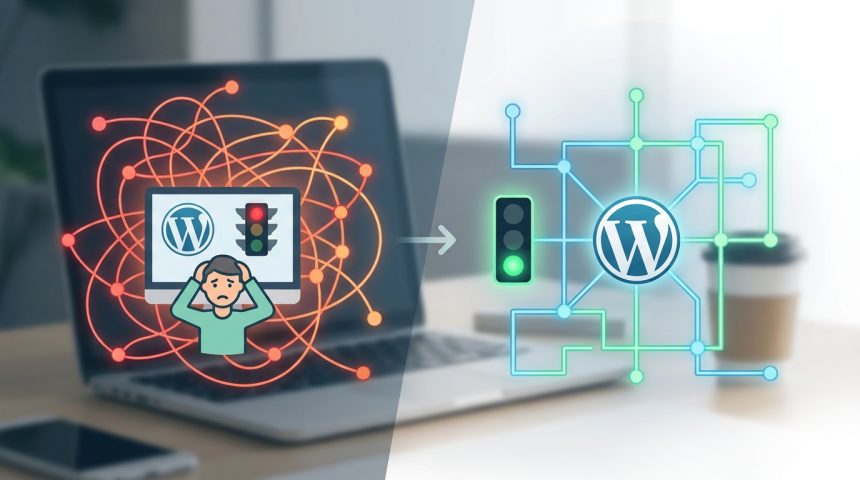
WordPress - Is your Yoast SEO giving you headaches? Solve the 7 Most Common Problems and Leave Your WordPress Impeccable (without
Does Yoast SEO frustrate you in WordPress? Discover effective solutions to the 7 most common problems. Leave your website impeccable and improve your SEO. Optimize now!
SHARE

Yoast SEO is a fundamental tool for optimize your website in WordPress. However, it often causes frustration. Many users face common problems that prevent their content from reaching its maximum potential in search engines. Here, we will break down the seven most frequent challenges and give you practical solutions.

Contents
Entendiendo Yoast SEO en WordPress: Más Allá del Semáforo Verde1. Problem: The Focus Keyword does not appear in the first paragraph2. Problem: Insufficiently Extensive Content3. Problem: Lack of Internal and External Links4. Problem: Inadequate SEO Title and Meta Description5. Problem: Images without Alt Attribute6. Problema: Dificultad con la Legibilidad (Flesch Reading Ease)7. Problem: Repeated Keyword or Over-optimization (Keyword Stuffing)Cómo Mantener tu WordPress Optimizado ConstantementeFrequently Asked Questions

It's time to leave red and orange traffic lights behind. With this guide, you'll transform your experience with Yoast SEO. You'll learn to correctly configure every aspect, ensuring your site WordPress be impeccable and friendly for SEO. Get ready to optimize without drama!

Understanding Yoast SEO in WordPressBeyond the Green Traffic Light

Yoast SEO is a powerful ally. It's not just a system of colored lights. It's a guide to improving the quality and visibility of your content. Its main function is to help you structure your posts and pages. This makes it easier for search engines to understand what your site is about.

Ignoring its suggestions can cost dearly. A bad configuration limits your reach. Good use, on the other hand, boosts your online presence. Learning to interpret it correctly is vital for any site WordPress.

1. Problem: The Focus Keyword does not appear in the first paragraph

One of the most common mistakes is forgetting the main keyword. Yoast SEO insists that your focus keyword be in the first 100 words. This is crucial for Google to quickly identify the central theme of your article.

Solution: Review your introduction. Make sure your main keyword is included naturally. It should appear in the first sentence or the first two. Avoid forcing it; naturalness is key.

You Might Also Like

How to monetize your WordPress website: strategies to grow
White screen of death in WordPress: solutions
How to speed up WordPress with PHP settings in 3 steps
How to choose the perfect theme to design your website in WordPress

2. Problem: Insufficiently Extensive Content

Yoast SEO will often tell you that your content is too short. Search engines value extensive and detailed articles. These usually offer more value to users.

Solution: Expand your ideas. Add more examples, data, or delve deeper into subtopics. A good article should have at least 300 words. For complex topics, aim for 800 or more. This demonstrates authority and coverage.

3. Problem: Lack of Internal and External Links

Links are the connective tissue of the web. Yoast SEO highlights the importance of linking. You need internal links (to other pages of your WordPress) and external (to authority sites).

Solution: Identify relevant content on your own site. Link to it with descriptive anchor text. For example, if you talk about plugins, you can link to our Complete WordPress optimization guide. For external links, look for reliable sources that complement your information. This increases credibility.

4. Problem: Inadequate SEO Title and Meta Description

These elements are your calling card in search results. A poorly written title and meta description reduce the Click-Through Rate (CTR). Yoast SEO helps you optimize them.

Solution: Write an attractive title that includes your focus keyword. Keep it within 60 characters. The meta description should be persuasive, with a call to action. Also include your main keyword. Do not exceed 155 characters. Think about what the user would click on.

5. Problem: Images without Alt Attribute

Images are fundamental. However, alt attributes are often forgotten. These alternative texts are vital for accessibility and SEO. They help search engines understand visual content.

Solution: Always add alt text to each image. Briefly describe what the image shows. Include your keyword if it is relevant and natural. This improves user experience and your site's ranking. WordPress.

6. Problem: Readability Difficulty (Flesch Reading Ease)

Yoast SEO evaluates the readability of your text. If your score is low, it means your content is difficult to read. This can frustrate your visitors and cause them to abandon your page.

Solution: Use short sentences and concise paragraphs. Avoid complex constructions. Use subheadings (H2, H3) to divide the text. Employ lists to organize information. Ensure an active voice. Clarity is paramount.

7. Problem: Repeated Keyword or Over-optimization (Keyword Stuffing)

Trying to insert your keyword too many times is counterproductive. Yoast SEO will alert you about over-optimization. Google penalizes this practice, known as keyword stuffing.

Solution: Use synonyms and variations of your keyword. Distribute it naturally throughout the text. The ideal focus keyword density is between 0.5% and 2%. Focus on content quality, not the number of repetitions.

Recuerda: El objetivo principal de Yoast SEO no es solo obtener un “verde”, sino guiarte para create valuable and accessible content that Google and your users love. Make your WordPress shine!

The key to successful SEO on your site WordPress is balance and quality. Don't just look for green; look for value.

How to Keep Your WordPress Constantly Optimized

  • Review periodically: SEO trends change. Go back to your old articles. Update them with new information and review their metrics.
  • Use complementary tools: Yoast SEO is excellent, but combine its use with other web analytics tools.
  • Update content: El contenido “evergreen” needs refresh. Add new sections or data when necessary.
  • Learn of new trends: Stay up to date with the latest news in SEO and digital marketing. This way, your WordPress will always be at the forefront.
  • Consider monetization: If your site uses e-commerce, our Complete Woocommerce guide for beginners can be an excellent resource for optimizing your products.

Mastering Yoast SEO is not an impossible task. With a methodical approach and attention to these common problems, you can transform your content strategy. Your site WordPress will not only improve its ranking but also offer a better experience to your visitors. Start solving those SEO headaches today!

Frequently Asked Questions

Is Yoast SEO the only tool I need for my WordPress?

No, Yoast SEO is an excellent on-page guide, but SEO is much broader. You need a solid content strategy, external link building, a good user experience, and loading speed. Yoast helps you with the technical and content foundation.

How often should I review my Yoast SEO analyses?

It is advisable to review Yoast SEO suggestions when publishing each new article or page. For already published content, a quarterly or semi-annual review is appropriate. This allows you to keep optimization up to date and adapt to changes in trends or on your own site.


Related services

Interested? Discover how we can help you.

Smart SEO with Yoast: Prepare Your WordPress for Google Updates and Discover How AI Powers Your Strategy →
Essential WordPress Plugins for Beginners: Your Perfect Website! →
Create WordPress from Scratch: Essential Plugins for Beginners →
TAGGED:cabezadoloresProblemasResuelveWordPressYoast
Share This Article
Email Copy Link Print
ByAdrián Alcalá
Follow:
Adrián Alcalá es desarrollador WordPress y consultor SEO, autor del plugin WP Translate y creador de BiblioWeb. Desde aquí comparte guías, tutoriales y herramientas gratuitas para quienes crean, optimizan y posicionan páginas web. Lleva años ayudando a negocios de toda España a sacar el máximo partido a WordPress, y todo lo que publica está probado en proyectos reales.
Previous Article Install Yoast SEO - Goodbye SEO Chaos Install Yoast SEO in WordPress and Activate Your Superpower for Google (Quick and Fun Guide How to install and configure Yoast SEO in WordPress
Next Article WordPress - Beyond the Basics: Unlock Yoast SEO's Hidden Tricks to Take Your WordPress to the Next Level (and Advanced Yoast SEO tricks to improve your WordPress
SEO local en WordPress con IA: guía para negocios españoles
AI & Web Automation
Fichas de producto de WooCommerce con IA: cómo escribirlas sin que suenen a robot
WooCommerce
Auditoría de seguridad WordPress con IA: guía paso a paso (2026)
Cybersecurity and Web Security
how to install wordpress - Your first website up and running! 🎉 How to install WordPress without stress and with the confidence of an expert (
Your first website up and running! 🎉 How to install WordPress without stress and with the confidence of an expert (We make it easy for you!).
WordPress
Advertisement

You May Also Like

Install WordPress - Install WordPress with AI? Discover the FUTURE of and set up your site in record time.
WordPress

How to Install WordPress with AI Step by Step

08/08/2026
WordPress - Not just plugins 7 ninja tricks to make your WordPress an impenetrable fortress from day one.
Cybersecurity and Web Security

7 tricks to strengthen your WordPress security

14/09/2026
wordpress instalacion - ¡No te compliques! 🤯 Guía Definitiva de Instalación de WordPress: ¿Hosting, Cpanel o Local? Elige tu
WordPress

Cómo instalar WordPress rápido: guía definitiva paso a paso

27/08/2026
Install Yoast SEO - Goodbye SEO Chaos Install Yoast SEO in WordPress and Activate Your Superpower for Google (Quick and Fun Guide
Web Development and Plugins

How to install and configure Yoast SEO in WordPress

14/09/2026
Show More
  • More News:
  • WordPress
  • Install
  • Guide
  • Create Web Page
  • how to install WordPress
  • Create
  • installation
  • future
  • Discover
  • Yoast
  • Plugins
  • tricks
  • WordPress installation
  • Goodbye
  • Runways
  • page
  • Create webpage
  • trick
  • Error
  • Construction
BiblioWeb

Biblioweb.es

Web Technology News

Information you can trust: guías y soluciones prácticas de tecnología web — WordPress, plugins, ciberseguridad, hosting, rendimiento y solución de errores.

RSS

Enlaces de interés

  • About us
  • Contact
  • Free tools
  • Plugin Library

Subscribe now to receive real-time updates on the latest news!

Legal

  • Legal Notice
  • Terms and Conditions
  • Cookies Policy
  • Privacy Policy

Latest news

SEO local en WordPress con IA: guía para negocios españoles

15/09/2026
Continue reading

Fichas de producto de WooCommerce con IA: cómo escribirlas sin que suenen a robot

10/09/2026
Continue reading

© 2026 BiblioWeb — All rights reserved.

Gestionar consentimiento
Utilizamos tecnologías como las cookies para almacenar y/o acceder a la información del dispositivo. Lo hacemos para mejorar la experiencia de navegación y para mostrar anuncios (no) personalizados. El consentimiento a estas tecnologías nos permitirá procesar datos como el comportamiento de navegación o los ID's únicos en este sitio. No consentir o retirar el consentimiento, puede afectar negativamente a ciertas características y funciones.
Funcional Always active
El almacenamiento o acceso técnico es estrictamente necesario para el propósito legítimo de permitir el uso de un servicio específico explícitamente solicitado por el abonado o usuario, o con el único propósito de llevar a cabo la transmisión de una comunicación a través de una red de comunicaciones electrónicas.
Preferences
El almacenamiento o acceso técnico es necesario para la finalidad legítima de almacenar preferencias no solicitadas por el abonado o usuario.
Estadísticas
El almacenamiento o acceso técnico que es utilizado exclusivamente con fines estadísticos. El almacenamiento o acceso técnico que se utiliza exclusivamente con fines estadísticos anónimos. Sin un requerimiento, el cumplimiento voluntario por parte de tu proveedor de servicios de Internet, o los registros adicionales de un tercero, la información almacenada o recuperada sólo para este propósito no se puede utilizar para identificarte.
Marketing
El almacenamiento o acceso técnico es necesario para crear perfiles de usuario para enviar publicidad, o para rastrear al usuario en una web o en varias web con fines de marketing similares.
  • Manage options
  • Manage services
  • Manage {vendor_count} vendors
  • Read more about these purposes
Ver preferencias
  • {title}
  • {title}
  • {title}
Welcome to Foxiz
Username or Email Address
Password

Lost your password?