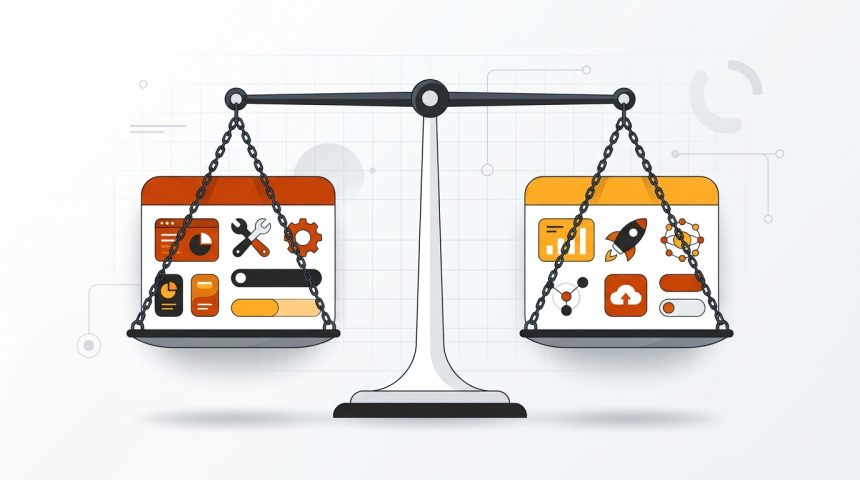
Few confusions cause as many headaches for those starting a website as WordPress.com vs WordPress.org. They share a name, a logo, and a good part of the software, but they are radically different products: one is a commercial hosting service with a subscription, and the other is a free program that you install wherever you want. Choosing poorly at the beginning has real consequences: some pay for years for features that are free in the other option, and some discover too late that they cannot install the plugin their business needs. In this comparison, we will explain exactly what each one is, how they differ in ownership, prices, plugins, design, SEO, and monetization, and which is suitable depending on the type of project. In the end, you will know with certainty which of the two is right for you, and how to switch from one to the other if you have already chosen and regret it.
The essential difference: software versus service
WordPress.org is the home of the free WordPress software. From there (the Spanish version is at es.wordpress.org) descargas gratis el programa completo y lo instalas en un hosting que tú contratas. Por eso se le llama “WordPress autoalojado”. Tú pones el alojamiento y el dominio; a cambio tienes control absoluto: cualquier tema, cualquier plugin, acceso al código y a la base de datos.
WordPress.com is a company (Automattic, founded by one of the creators of WordPress) that rents you a website made with that same software. They provide the server, backups, and technical maintenance; you pay a monthly or annual subscription and accept the limitations of the plan you contract. It is a closed service built on open software.
An analogy that clarifies almost everything: WordPress.org is buying a home (yours, you renovate it as you wish, but you take care of the maintenance); WordPress.com is renting a furnished apartment (comfortable from day one, but with house rules and a rent that never ends).
Quick comparison: table of differences
| Appearance | WordPress.org (self-hosted) | WordPress.com |
|---|---|---|
| Software cost | Free | Free (basic plan) to 45 €/month |
| Hosting and domain | You contract it (60-140 €/year) | Included in paid plans |
| Plugins | All, no restriction | Only on higher plans |
| Topics | All, including premium | Catalog limited by plan |
| Ownership and portability | Total: web and data are yours | Platform-dependent |
| Own advertising | No restrictions | Limited by plan |
| Technical maintenance | You do it | They do it |
| Access to code and FTP | Complete | Only on higher plans |
Prices: what each option really costs
Aquí está la sorpresa para mucha gente: la opción “gratis” de WordPress.com sale cara en cuanto el proyecto va en serio, y la opción que exige pagar hosting resulta más económica a igualdad de funciones.
How much WordPress.com costs
- Free plan: subdomain type
miweb.wordpress.com, platform advertising on your website, no plugins, and reduced storage. Valid only for testing or for a personal diary. - Intermediate plans (approximately between €4 and €8/month): own domain for the first year and less advertising, but still do not allow installing external plugins or themes.
- High-tier plans (from about €25/month, more than €300 per year): here, plugins and premium themes are finally unlocked. This is the point where the platform becomes comparable to self-hosted, but paying considerably more.
How much WordPress.org costs
The software costs nothing. You pay for a domain (€10-20 per year) and decent shared hosting (€50-120 per year), so a complete website, with any plugin and any theme, ranges between €60 and €140 annually. The key is to choose the hosting well: our guide on what hosting you need for WordPress details what to look for according to your project, and this other one about the 5 types of WordPress hosting helps you not to overpay.
Numerical conclusion: with equivalent use (plugins, own theme, domain), WordPress.com costs two to three times more per year than a well-contracted self-hosted site.
Plugins and themes: the most noticeable difference
The plugin ecosystem is the main reason WordPress dominates the market, and it's precisely where WordPress.com cuts back the most. On a self-hosted WordPress, you can install any of the more than 59,000 free plugins from the official repository and any paid plugin: WooCommerce for selling, a booking plugin, a Spanish invoicing plugin, whatever. On WordPress.com, free and intermediate plans do not allow installing any; you have to jump to the high plan to get that freedom.
The same goes for themes: self-hosted supports any theme from the repository or purchased from marketplaces, while WordPress.com limits you to its catalog except on higher plans. If you have a defined visual identity or want a specific design, that restriction weighs heavily.
To get an idea of what you would be missing, take a look at our selection of essential WordPress plugins for beginners: on a self-hosted site, you install them all in ten minutes and at no cost.
SEO, monetization, and data ownership
Search engine ranking
Both options can rank well: Google does not penalize either for what it is. The difference lies in the tools. On a self-hosted site, you install complete SEO plugins (Yoast, Rank Math), edit robots.txt, control sitemaps, structured data, and redirects. On WordPress.com, advanced SEO options are reserved for higher-tier paid plans, and even then with less room for maneuver. For a project that relies on organic traffic, that extra control ends up making a difference.
Monetization
If you plan to make money with your website, read this twice. On the free WordPress.com plan, the platform displays ads on your website and keeps the revenue. Inserting your own advertising (AdSense, affiliation, sponsorships) is restricted according to the plan. On a self-hosted WordPress, there are no limitations: advertising, affiliates, direct sales, memberships... everything is possible from day one. In this guide on how to monetize your WordPress website you have the most common strategies.
Ownership and portability
On self-hosted, the database and files are on your hosting: you export everything and move whenever you want. On WordPress.com you can export the content (posts, pages, images), but not the complete site configuration, and meanwhile your website lives under the terms of service of a company that can change them. Nothing usually happens, but the fundamental difference exists: in one case you are the owner, in the other you are a client.
Maintenance and security: WordPress.com's strong point
Let's be fair: WordPress.com clearly wins in convenience. Core updates, security patches, backups, and server performance are their problem, not yours. You will never see a PHP warning or have to restore the website on a Sunday night.
On a self-hosted site, that work is yours: updating core, themes, and plugins, making backups, and monitoring security. It's not complicated (a monthly routine of 20-30 minutes covers the essentials, and plugins like those we recommend in our tricks to strengthen your WordPress security automate a large part), but it is a real responsibility. If you know beforehand that you will never dedicate that time to it, take it into account in your decision.
Which to choose according to your project type
With all the above, the recommendation can be summarized by profiles:
- Personal blog without economic ambition: Free or basic WordPress.com. Zero maintenance and enough for writing.
- Blog that aims to generate income: WordPress.org. You will need SEO plugins, your own advertising, and total freedom; on .com you would pay a lot for the same.
- Corporate or service website: WordPress.org. Advanced forms, tracking pixel, bookings... everything goes through plugins.
- Online store: WordPress.org without hesitation, with WooCommerce. On .com it is only viable on the most expensive plans.
- Project that wants to validate an idea quickly: you can start on .com for free and migrate to .org when the idea works. It's a legitimate path and the migration is manageable.
If you choose the self-hosted path, the startup process is explained step-by-step in our definitive guide to installing WordPress.
How to migrate from WordPress.com to WordPress.org
If you already have a website on WordPress.com and it has become too small for you, switching is perfectly possible:
- Contract a domain (if you don't already own one) and hosting, and install WordPress on it.
- On WordPress.com, go to Tools → Export and download the XML file with all your content.
- In your new WordPress, use Tools → Import → WordPress to upload that file, checking the option to download attached files (images).
- Install a theme similar to the one you used, or take the opportunity to renew the design.
- If your website had its own domain, point the DNS to the new hosting. If you used a wordpress.com subdomain, contract site redirection to avoid losing accumulated traffic for at least one year.
- Check internal links, images, and main pages before considering the move complete.
The content (posts, pages, and comments) is preserved intact. What is not automatically migrated is the visual configuration, which you will have to redo with your new theme.
Frequently Asked Questions
Do WordPress.com and WordPress.org use the same software?
Yes, in essence. WordPress.com runs the same free software as WordPress.org, but trimmed down and configured by Automattic according to the plan you pay for. That's why the editing experience is so similar, yet the possibilities are so different.
Can I use WooCommerce on WordPress.com?
Only on higher plans (Business/Commerce), which cost from about €25-45 per month. On a self-hosted WordPress, WooCommerce installs for free on any hosting from day one. If your goal is an online store, self-hosted is almost always the rational option.
Which is better for SEO, WordPress.com or WordPress.org?
With a high-tier WordPress.com plan you can do decent SEO, but WordPress.org offers more control: complete SEO plugins, robots.txt editing, structured data, and unrestricted redirects. With equal content, self-hosted gives you more tools to compete.
Do I lose my content if I migrate from .com to .org?
No. The WordPress.com exporter generates a file with all your posts, pages, comments, and images that is imported into the new site. The only thing you will have to rebuild is the design and menus, because the theme configuration does not travel in that file.
Conclusion
The WordPress.com vs WordPress.org comparison is resolved with one question: what do you value more, convenience or control? WordPress.com takes maintenance off your hands in exchange for a subscription and accepting limits on plugins, design, and monetization. WordPress.org asks you to hire hosting and dedicate some time each month to maintenance, and in return gives you a website completely your own, cheaper in the medium term, and with no growth ceiling. For a casual blog, the convenience of .com is a valid argument. For any project with a vocation to grow (a business, a store, a media outlet, a monetized blog), the self-hosted version is the correct choice, and the good news is that getting started with it is much simpler than it seems.