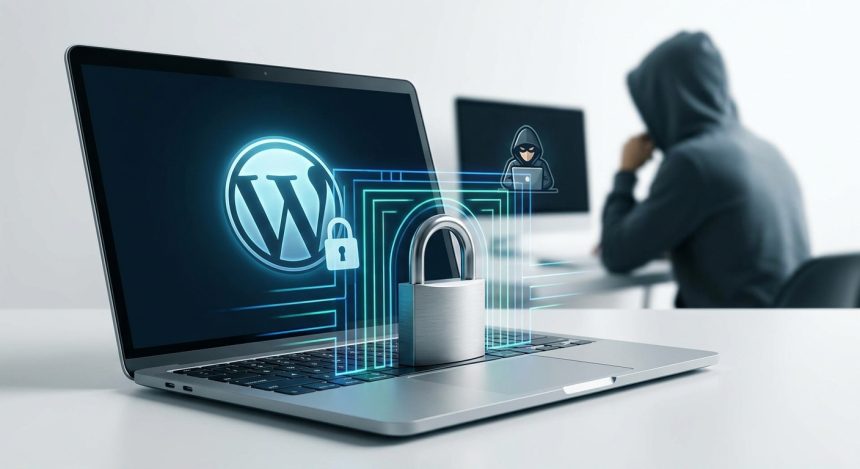
Welcome to the exciting world of websites! If you're taking your first steps in WordPress, it's natural to feel overwhelmed. There's a lot to learn. But did you know that security should be your number one priority from day zero? Many beginners make common mistakes that hackers exploit. Don't worry, we're here to guide you. Protecting your website is easier than you think if you know the pitfalls. Avoid these vulnerabilities and build a solid foundation for your online project. Your peace of mind is important.
1. Ignoring Updates: Your first line of defense
WordPress, theme, and plugins are not a whim. They are essential. Each new version fixes security flaws. Developers work hard to protect your site. If you don't update, you leave doors open. Hackers look for these known vulnerabilities. It's like leaving your house key under the doormat.
Imagine your software is a shield. Each update makes it stronger. Perform backups before updating. That way, if something goes wrong, you can restore your site. Schedule regular reviews to keep everything up to date. Don't postpone this vital task.
2. Weak Passwords: The open door hackers love
Una contraseña es tu primera barrera. “123456” o “password” no son opciones. Los hackers usan programas que prueban millones de combinaciones. Una contraseña débil es un regalo para ellos. Piensa en una frase compleja. Combina letras, números y símbolos. Usa mayúsculas y minúsculas.
Consider using a password manager. This generates and stores secure keys. Two-factor authentication (2FA) adds another layer of protection. It requires an additional code. This code arrives on your mobile, for example. Make strong passwords a habit.
- Use at least 12 characters.
- Mix uppercase, lowercase, numbers, and symbols.
- Avoid easily guessable personal information.
- Don't use the same password on multiple sites.
- Activate two-factor authentication (2FA).
3. Downloading themes and plugins from dubious sources: The hidden risk for your First steps in WordPress
The temptation to get free software is great. But at what cost? Themes and plugins “nulled” o piratas son muy peligrosos. A menudo contienen código malicioso. Este código can steal your data. It can inject spam into your website. Or even take full control of your site. Trust only official sources. The WordPress repository is secure. Reputable premium marketplaces are too.
Invest in quality tools. Think of it as an investment in your business. A premium theme or plugin offers support. It also guarantees security updates. Protect your online reputation from the start. Don't risk your first steps in WordPress to save a few euros.
For more information on how to choose the right components, consult our article on how to select essential plugins for WordPress.
4. Not using a security plugin: Your digital bodyguard
WordPress is robust, but it needs extra help. A good security plugin is like having a bodyguard. It constantly monitors your site. Detects suspicious activity. Blocks attacks before they happen. Many offer a web application firewall (WAF). They also scan for malware. Some popular examples are Wordfence or Sucuri. These plugins are easy to configure. They alert you to any threat. Don't underestimate their protective power.
Setting up a security plugin is one of the smartest decisions you can make when starting your site. It provides peace of mind and an additional layer of defense against constantly evolving cyber threats.
5. Incorrect file permissions: A dangerous oversight
Every file and folder on your server has permissions. These permissions control who can read, write, or execute a file. If permissions are too lax, hackers can exploit them. They could upload malicious files. Or modify your content. Incorrect permissions are a common mistake. Especially for those taking their first steps in WordPress.
Generally, folders should have 755 permissions. Files should have 644. The `wp-config.php` file is very sensitive. This should have 640 or 600. Consult your hosting provider if you have doubts. They can help you configure them correctly. Maintaining these proper permissions is crucial.
Learn more about your site's infrastructure in our guide on how to choose secure hosting for your web project.
Conclusion: Build a secure website from the start
The security of your WordPress site is not an option. It's an obligation. Especially when you're taking your first steps. Avoiding these five mistakes will put you ahead of many. Adopt a proactive mindset. Stay informed. Your website is your online space. Protect it with the same care you would protect any other investment. Your digital future will thank you!
Frequently Asked Questions
How often should I update WordPress, themes, and plugins?
It is advisable to update as soon as new versions are available. Developers often release updates to fix critical vulnerabilities. Set up notifications and do it regularly, always after a backup.
Is a security plugin really necessary if I already have strong passwords?
Yes, a security plugin is essential. Strong passwords are one part, but a plugin offers multi-layered protection. It includes a firewall, malware scanning, activity monitoring, and more, covering other possible attack vectors.
What should I do if my WordPress site has already been hacked?
First, disconnect your site to prevent further damage. Then, restore a clean backup (if you have one). If not, use a security plugin to scan and clean. Change all your passwords and strengthen security. Consider seeking professional help if you feel overwhelmed.