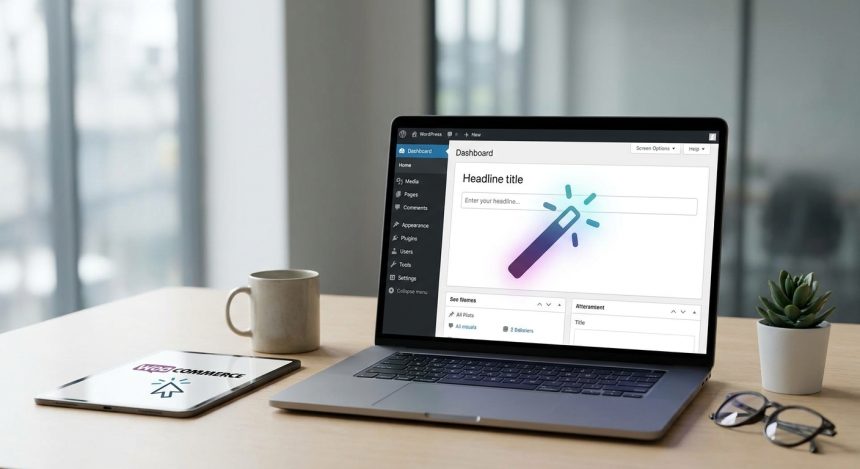
In the vast digital universe, a title is much more than a simple label; it is the first impression, the hook that decides whether a user will click or pass by. If you feel that your blog or WooCommerce products are not getting the attention they deserve, it is likely that the key lies in the magic of a well-constructed title. Fortunately, artificial intelligence has arrived to revolutionize this process, offering you an innovative solution to create irresistible headlines that not only capture attention, but also drive engagement and improve the SEO of your site WordPress. Get ready to discover how to transform the visibility of your content with a click.
Before starting
To embark on this exciting adventure of AI title creation, you will need some basic elements:
- Administrative access to your website WordPress or WooCommerce.
- A stable internet connection.
- Willingness to explore and experiment with new artificial intelligence tools.
- A draft or a clear idea of the content (article, tutorial, product) for which you want to generate titles.
- Optional but highly recommended: An SEO plugin like Yoast SEO or Rank Math installed on your WordPress, to further optimize titles.
Basic knowledge of navigating the
Familiarization with the process and the generation of your first AI-optimized titles will take approximately 30 to 60 minutes. The difficulty level is basic to intermediate, as no advanced programming knowledge is required, only curiosity and a proactive attitude.
Step 1: Understanding the Importance of a Good Title in WordPress
Before diving into AI, it is essential to understand why an effective title is the cornerstone of any successful content strategy, especially on a platform like WordPress. A title not only informs, but also persuades, arouses curiosity, and sets expectations. It is the number one factor that determines whether a user will click on your link in search results or on social media. An optimized title improves your Click-Through Rate (CTR), which in turn is a positive signal for search engines, indicating that your content is relevant and valuable. In the ecosystem of WordPress, where the competition for attention is fierce, a magnetic title can be the difference between success and oblivion. Think of the title as a newspaper headline: it's the first thing you see and what invites you to read the full story. To delve deeper, you can consult our guide on basic SEO optimization for WordPress.
- Impact on SEO: A good title includes relevant keywords and attracts clicks, which improves your positioning.
- Click attraction: It is the main driver for users to choose your content among thousands of options.
- Differentiation: It helps you stand out in a sea of similar information, communicating the unique value of your post or product.
Tip: An effective title is the gateway to your content; without it, even the best article on your WordPress goes unnoticed. Investing time in its creation is investing in visibility.
How to verify it worked: Reflect on the last article or product titles that caught your attention. What elements made you want to know more? Analyze the promise, intrigue, or benefit they offered.
Step 2: Preparing Your Content for AI Title Generation
Artificial intelligence is powerful, but it's not magic. For AI to generate titles that truly engage and are relevant to your audience in WordPress, needs quality information. Before opening any AI tool, take a moment to organize the key points of your content. The clearer and more concise you are in providing context, the more accurate and effective the titles the AI offers you will be. This step is crucial to avoid generic or irrelevant results. Prepare a small summary of what your article or product is about, what its main benefits are, and who it is aimed at.
- Main topic: Define the central idea of your post or product.
- Main keywords: Identify 2-3 keywords or key phrases that users would search for to find your content.
- Benefit for the reader/customer: What problem does your content solve or what value does it provide?
- Desired tone: Do you want a formal, funny, urgent, informative title?
- Desired length: Do you prefer short and direct titles or more descriptive ones?
Disclaimer: AI is an amplification tool; the quality of its output depends directly on the quality and specificity of your input. Do not expect brilliant results if your preparation is superficial.
How to verify it worked: Have a draft, an outline, or at least 3-5 key points of your content on hand. Make sure you can summarize the essence of your post or product in one or two sentences.
Step 3: Selecting the Right AI Tool for Titles in WordPress
The market is flooded with AI tools, each with its own strengths. To generate titles for your site WordPress, you can choose from several categories:
- Large and general language models (LLMs): Tools like OpenAI's ChatGPT, Google Bard (now Gemini), or Microsoft Copilot are excellent for getting started. They are versatile and can generate a wide range of titles with different tones and styles. They are free or have free versions.
- Specific AI tools for marketing and copywriting: Platforms like Jasper, Copy.ai, or Surfer SEO are designed with specific modules for generating headlines, descriptions, and SEO-optimized content. They are usually paid, but offer more advanced and specific functionalities.
- Plugins of WordPress with AI integration: Some plugins SEO or content for WordPress, such as Rank Math Content AI or the premium version of Yoast SEO (with future integrations), are starting to incorporate AI features to help you directly from your control panel.
For this tutorial, we will assume you will use a general AI tool like ChatGPT, which is accessible to most. When you have it ready, continue.
Tip: If you're new to this, start with a free tool or a trial version. This will allow you to familiarize yourself with AI dynamics without financial commitment.
How to verify it worked: You have chosen an AI tool, created an account if necessary, and are ready to interact with it.
Step 4: The Perfect Prompt: How to Ask AI for Titles for Your WordPress Content
Aquí es donde reside la magia. La calidad de los títulos generados por la IA depende directamente de la calidad de tu “prompt” (la instrucción que le das). Un prompt bien elaborado es como una receta detallada: cuanto más clara y específica sea, mejor será el plato final. Para tu contenido de WordPress, a good prompt should include:
- **Define el rol de la IA:** “Actúa como un copywriter experto en SEO para WordPress.”
- **Proporciona contexto del contenido:** “Estoy escribiendo un artículo sobre [Tema principal, ej., ‘cómo install a plugin for security en WordPress’].”
- **Especifica el objetivo del título:** “Necesito 10 ideas de títulos que maximicen el CTR y sean SEO-friendly.”
- **Incluye palabras clave:** “Asegúrate de incluir las palabras clave ‘seguridad WordPress’ y ‘proteger web’.”
- **Define el tono y la longitud:** “Los títulos deben ser atractivos, un poco urgentes y tener una longitud ideal para Google (máximo 60 caracteres).”
- **Pide variedad:** “Ofrece una mezcla de títulos con números, preguntas y beneficios directos.”
Example of a complete prompt:
“Actúa como un copywriter experto en SEO para WordPress. I am writing an article about how install un plugin de seguridad en WordPress para principiantes. Necesito 10 ideas de títulos que maximicen el CTR y sean SEO-friendly. Asegúrate de incluir las palabras clave ‘seguridad WordPress’ y ‘proteger web’. Los títulos deben ser atractivos, un poco urgentes y tener una longitud ideal para Google (máximo 60 caracteres). Ofrece una mezcla de títulos con números, preguntas y beneficios directos.”
Tip: Be specific and concise. A good prompt is like a detailed recipe for AI; clear ingredients produce the Some gateways offer results. Experiment with different prompts to see what works best for your niche of WordPress.
How to verify it worked: You have generated at least 5-10 title options with your prompt and the AI has returned them following your instructions.
Step 5: Integrating and Optimizing AI-Generated Titles in Your WordPress Editor
Once AI has worked its magic and provided you with a list of potential titles, the next step is to bring them to your site WordPress and optimize them. This process is simple but crucial to ensure that the title is not only attractive but also effective from an SEO perspective.
- **Select the best title:** Review the options generated by the AI. Choose the one that best suits your content, your audience, and your SEO objectives. Don't be afraid to combine elements from different titles or to manually refine it.
- **Copy and paste into your WordPress editor:** Open the post or product you are working on in the Gutenberg block editor or the classic editor of WordPress. Paste the selected title into the field designated for the post/page title.
- **Optimize with your SEO plugin (Yoast/Rank Math):** If you have a plugin like Yoast SEO or Rank Math, use it to check the title length (ideally between 40-60 characters to prevent it from being cut off in search results), the inclusion of the focus keyword, and readability. These plugins te darán sugerencias en tiempo real para mejorar tu título. Asegúrate de que la focus keyword (ej., “seguridad WordPress”) esté presente y cercana al inicio.
- **Consider SEO Title vs. H1 Title:** Sometimes, you might want an H1 title slightly different from the SEO title (the one that appears on Google). Your SEO plugin will allow you to configure both separately. The H1 is for the user on the page, the SEO title for the search engine.
Warning: Don't just copy and paste. Always review, edit, and adapt the AI-generated title so that it sounds natural, aligns with your brand's voice, and meets your SEO objectives. AI is an assistant, not a replacement for your editorial judgment.
How to verify it worked: The title appears in your editor for WordPress, your SEO tool indicates it's a good length and contains the focus keyword, and it sounds natural when you read it aloud.
Step 6: Applying AI for Product Titles in WooCommerce
The creation of persuasive titles is not limited to posts from blog; it is equally vital for your e-commerce products, especially if you manage your store with WooCommerce. A good product title in WooCommerce not only describes what you sell, but also highlights the value, benefits, and key features, driving the purchase decision.
The process is similar to that for posts, but with a different focus in the prompt:
- **Define el producto:** Describe el producto de forma concisa (ej., “Auriculares inalámbricos con cancelación de ruido”).
- **Características y beneficios:** Enumera las 2-3 características más destacadas y el principal beneficio para el cliente (ej., “sonido premium, batería 30h, ideales para viajar”).
- **Palabras clave de compra:** Incluye términos que un comprador usaría (ej., “comprar auriculares”, “oferta”).
- **Tone:** Persuasive, direct, customer-focused.
Example prompt for WooCommerce:
“Actúa como un copywriter especializado en e-commerce para WooCommerce. Necesito 5 ideas de títulos para un producto: ‘Auriculares inalámbricos con cancelación de ruido’. Sus características principales son ‘sonido premium’, ‘batería de 30 horas’ y son ‘ideales para viajar’. Quiero que los títulos sean persuasivos, incluyan ‘comprar auriculares’ y destaquen los beneficios. Máximo 70 caracteres.”
AI will help you generate titles that are not only descriptive but also incite action and improve visibility in product searches.
- Focus on benefits: Product titles should communicate immediate value to the customer.
- Intent keywords: Incluye términos que sugieran una intención de compra (“comprar”, “oferta”, “envío gratis”).
- Clarity and conciseness: E-commerce users often scan.
- AI usage: AI can generate variants that highlight different aspects of the product.
Tip: Product titles in WooCommerce should be informative and persuasive, highlighting the unique value of what you sell and addressing a customer need.
How to verify it worked: You have generated a product title that includes relevant keywords and highlights a clear customer benefit, ready to be integrated into your product listing for WooCommerce.
Step 7: Measuring Performance and Adjusting Your AI Titles
Title optimization doesn't end once you publish your content on WordPress. The true power of this strategy lies in the ability to measure, analyze, and adjust. Use web analytics tools to understand how your AI-generated titles are performing.
- **Google Search Console:** Monitor the Click-Through Rate (CTR) of your pages in search results. A low CTR could indicate that your title is not attractive or relevant enough. To learn more about this tool, consult our guide on performance analysis with Google Search Console.
- **Google Analytics:** Observe user behavior once they land on your page. A misleading title could lead to a high bounce rate, indicating that the content does not fulfill the title's promise.
- **Heatmaps and session recordings:** Tools like Hotjar can show you if users are interacting with your internal links or if they are leaving quickly.
- **A/B Testing:** If your platform or tools allow it, perform A/B tests with different titles to see which one generates better performance. Publish one version of the title, and after a while, switch to another and compare the results.
This continuous improvement cycle will allow you to refine your AI prompts and titling decisions, ensuring that every piece of content on your WordPress reach its full potential.
- Google Search Console: Review the CTR of your pages and posts.
- Google Analytics: Analyze bounce rate and time on page.
- A/B testing tools: Experiment with different titles to identify the most effective one.
- Periodic review: Don't be afraid to change a title if it's not performing well.
Tip: Digital marketing is a continuous cycle of testing, measurement, and optimization. AI is a powerful tool, but it's not a magic solution without monitoring. Your human analysis is irreplaceable.
How to verify it worked: You have accessed Google Search Console and reviewed the CTR of at least 3 of your most recent posts or products.
Common problems and solutions
- 46. Symptom: The titles generated by AI are too generic or unoriginal.
Solution: Refine your prompt with more details about your niche, audience, and desired tone. Ask the AI to use more creative language, metaphors, or a unique angle. - 46. Symptom: The title does not include my main focus keyword for WordPress.
Solution: Añade explícitamente la instrucción de incluir la focus keyword en el prompt y especifica su posición (ej., “incluye ‘seguridad WordPress’ al inicio del título”). - 46. Symptom: Titles sound robotic, unnatural, or lack personality.
Solution: Ask the AI to adopt a more human, conversational, or fun tone. You can also manually edit titles to inject your brand's voice. - 46. Symptom: AI doesn't seem to understand the context of my content.
Solution: Provide a more extensive summary or additional contextual keywords. If the content is complex, break it down into key points and feed them to the AI. - 46. Symptom: The title length is inconsistent or exceeds recommended limits.
Solution: Especifica la longitud máxima en caracteres en tu prompt (ej., “máximo 60 caracteres”). Utiliza tu plugin SEO para verificar y ajustar.
Frequently Asked Questions
Is it ethical to use AI to generate titles for my WordPress site?
Absolutely. AI is a tool that assists in the creative process, it doesn't replace it. The important thing is that the generated title is truthful, faithfully represents the content of your post or product, and is not misleading. Using AI to improve the efficiency and quality of your titles is a modern and ethical practice.
Can AI completely replace a title writer or a copywriter in WordPress?
No, AI is a powerful assistant, but human creativity, empathy, strategic judgment, and the ability to understand cultural and emotional nuances remain irreplaceable. AI can generate many options, but the final selection, adaptation, and injection of your brand's unique voice will always require human intervention.
How specific should my prompts be for AI when create titles for WordPress?
The more specific and detailed the prompt, the better and more relevant the results will be. Think as if you were giving instructions to a very intelligent human assistant who, however, lacks inherent context. Include the topic, keywords, tone, objective, length, and any other special requirements.
Does using AI affect my WordPress SEO?
Si los títulos generados por IA son relevantes, atractivos, contienen palabras clave importantes y mejoran tu Click-Through Rate (CTR), entonces pueden tener un impacto muy positivo en tu SEO. Sin embargo, si la IA genera títulos de “clickbait” o engañosos que no cumplen con la promesa del contenido, esto podría aumentar tu tasa de rebote y perjudicar tu posicionamiento a largo plazo. La clave está en la supervisión y optimización humana.
Does AI work equally well for all languages in WordPress?
The most advanced AI models, such as GPT-4, are multilingual and work very well in Spanish. However, quality may vary slightly between languages. To ensure the best results, always review and adjust the generated titles in your native language to ensure fluency and naturalness.
Conclusion and next steps
You have discovered the immense potential of artificial intelligence to transform the way you create titles for your website WordPress o WooCommerce. From understanding its importance to practical application in your editor, AI is positioned as an indispensable tool for any content creator or owner of business digital. There are no longer excuses for boring titles that go unnoticed. The ability to generate creative, SEO-optimized, and audience-adapted options in a matter of seconds is an undeniable competitive advantage.
Now that you have the knowledge, it's your turn to act. Start today to experiment with different AI tools, refine your prompts, and measure the impact on the visibility and engagement of your content. The magic of AI is just a click away, waiting for you to use it to create a more attractive and effective digital presence. Transform your titles and watch your site WordPress comes to life!
Frequently Asked Questions
What is WordPress?
Learn to create irresistible titles for your WordPress or WooCommerce website using AI. Improve the CTR and SEO of your posts and products easily. Start h
Why is WordPress important?
It helps you get better results and make informed decisions about If your titles don't hook, AI has the solution: Create magic for your WordPress or WooCommerce website in one click.
How to get started with WordPress?
Follow the steps described in this article and apply the recommendations according to your case.