miércoles, 29 Jul 2026

Exclusive resources and tools for web design and development experts

Explore
BiblioWeb

Biblioweb.es

All About Web Technology

  • Start
  • Categories
    • Web Development and Plugins
    • AI & Web Automation
    • Cybersecurity and Web Security
    • WordPress Plugins
    • Web error solution
    • Web Hosting & Performance
  • WordPress
  • About Plugins
    • Yoast SEO
    • WooCommerce
    • Rank Math SEO
    • AI Engine
    • WP Rocket
    • WPCode
  • Tools
    • Generador de Contraseñas
    • Generador de Código QR
    • Contador de Palabras
    • Formateador JSON
    • Image to WebP Converter
    • Email Checker
  • Plugins Library
  • 🇪🇸 Español
  • 🇬🇧 English ✓
  • 🇩🇪 Deutsch
History
  • WordPress
  • WordPress plugins
  • Create website
  • WooCommerce
  • WordPress tricks
  • See everything
BiblioWebBiblioWeb
Font ResizerAa
  • News History
Search
  • Start
  • Categories
    • Web Development and Plugins
    • AI & Web Automation
    • Cybersecurity and Web Security
    • WordPress Plugins
    • Revolution
    • WooCommerce
    • Web Hosting & Performance
    • Troubleshooting web errors
    • Online Stores & Sales Funnels
  • WordPress
  • About Plugins
    • Rank Math SEO
    • AI Engine
    • WP Rocket
    • WPCode
  • Blog
    • 🇪🇸 Español
    • 🇬🇧 English ✓
    • 🇩🇪 Deutsch
  • My account
    • News History
  • Tools
    • Generador de Contraseñas
    • Generador de Código QR
    • Contador de Palabras
    • Formateador JSON
    • Image to WebP Converter
    • Email Checker
Have an existing account? Sign In
Follow Us
© 2026 Biblioweb. All Rights Reserved.
Cover » Blog » From zero to pro in WordPress: Discover the plugins that even AI would recommend for your web project
AI & Web Automation

From zero to pro in WordPress: Discover the plugins that even AI would recommend for your web project

Adrian Alcala
Last updated: 15/07/2026 18:46
By Adrian Alcala
Share
10 Min Read
plugins para WordPress - De cero a pro en WordPress: Descubre los plugins que hasta la IA te recomendaría para tu proyecto we
Discover the best WordPress plugins that will boost your website. From SEO to security, Biblioweb's AI guides you to create a professional project
SHARE

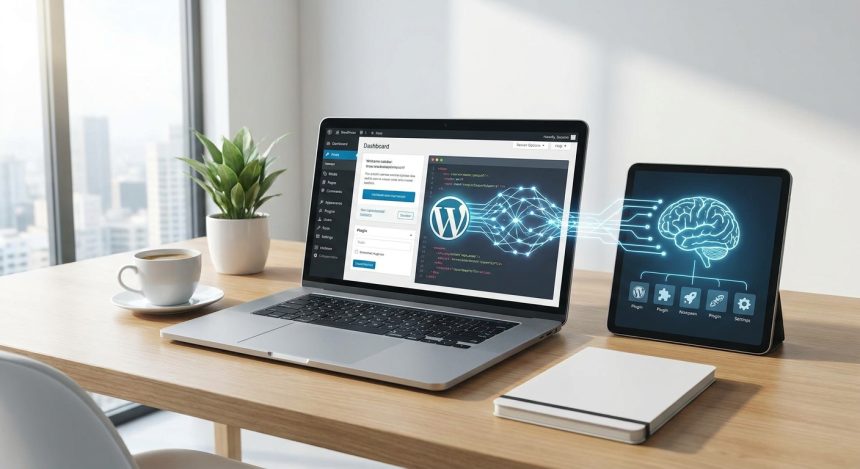
Starting a web project in WordPress can seem like a challenging task, but with the right tools, you will transform your vision into reality. At Biblioweb, we understand that your site's success largely depends on functionality. Therefore, we bring you an essential guide on the plugins for WordPress that will not only facilitate your journey, but that artificial intelligence itself would consider indispensable. Get ready to take your website to the next level efficiently and professionally.

Contents
Why Are Plugins Essential in WordPress?Essential Plugins for SEO OptimizationRobust Security: Protect Your WordPress ProjectBoost Your Performance with Cache PluginsThe WordPress Plugins that Transform Your ContentE-commerce Tools: Plugins for WooCommercePlugin Selection: AI TipsConclusion: Your Path to Success with WordPressFrequently Asked QuestionsFrequently Asked Questions

In this article

  1. Why Are Plugins Essential in WordPress?
  2. Essential Plugins for SEO Optimization
  3. Robust Security: Protect Your WordPress Project
  4. Boost Your Performance with Cache Plugins
  5. The WordPress Plugins that Transform Your Content
  6. E-commerce Tools: Plugins for WooCommerce
  7. Plugin Selection: AI Tips
  8. Conclusion: Your Path to Success with WordPress
  9. Frequently Asked Questions

Why Are Plugins Essential in WordPress?

Plugins are software extensions that add new functionalities to your WordPress website. Without them, your platform would be a limited base. They allow you to customize, optimize, and expand your website's capabilities. They improve security, performance, and user experience. They are key for any ambitious digital project.

The flexibility offered by plugins is the cornerstone for adapting WordPress to any need. From an online store to a blog personal website, everything is possible.

Essential Plugins for SEO Optimization

For your content to be visible, search engine optimization (SEO) is crucial. Fortunately, there are WordPress plugins specifically designed for it. They will guide you every step of the way to improve your positioning. Thus, more users will find your valuable content.

  • Yoast SEO: A classic. It offers readability and real-time SEO analysis. It helps you optimize titles, meta descriptions, and keywords. Essential for any content strategy.
  • Rank Math: A powerful and growing alternative. It includes a setup wizard, 404 error monitor, and schema tools. Its intuitive interface facilitates advanced optimization.

Learn to master on-page SEO with our guides detailed.

Robust Security: Protect Your WordPress Project

Security is not a luxury, it's a necessity. An unprotected website is vulnerable to attacks and data loss. The WordPress plugins security plugins act as your shield. They protect your investment and your visitors' trust. Installing one is a smart decision.

You Might Also Like

¡No te rindas! Cuando Instalando WordPress se complica: Soluciones rápidas a los errores más puñeteros.
¡Instalación de WordPress Completada! 🚀 5 Pasos Clave para Blindar tu Web y Prepararla para la IA
Install WordPress with AI? 🤖 Discover the FUTURE of #CreateWebsite and set up your site in record time.
AI to the rescue? Discover how Artificial Intelligence can fortify your WordPress, even if you're a complete beginner.
  • Wordfence Security: Offers a web application firewall and a malware scanner. Protects against brute-force attacks. Additionally, it monitors your site in real time.
  • Sucuri Security: Provides a website firewall and malware removal. It also includes file integrity monitoring. It's a comprehensive solution to keep your website safe.

Boost Your Performance with Cache Plugins

Your website's loading speed directly impacts user experience and SEO. A slow site frustrates visitors and affects your ranking. The WordPress plugins cache plugins optimize this aspect. They make your website fly, literally. They improve retention and positioning.

  • WP Rocket: A very popular premium plugin. It optimizes cache, minifies files, and lazy loads images. Its configuration is simple and its results are remarkable.
  • LiteSpeed Cache: Free and very powerful for LiteSpeed servers. It offers object caching, image and CSS/JS optimization. It's an excellent option to improve speed.

The WordPress Plugins that Transform Your Content

Creating attractive and functional content is the essence of a blog. Visual builders have revolutionized this process. They allow designing complex pages without touching a line of code. These WordPress plugins are allies of creativity. They make life easier for designers and bloggers.

  • Elementor: A page builder visual very intuitive. Drag and drop elements to create spectacular designs. Its free version is robust and the pro, a marvel.
  • Gutenberg Blocks (extenders): The native WordPress editor. With plugins like Spectra or Kadence Blocks, you add extra functionalities. They allow advanced blocks and deep customization.

E-commerce Tools: Plugins for WooCommerce

If your goal is to sell online, WordPress, combined with WooCommerce, is a powerful choice. This ecosystem allows you to build a robust store. The WordPress plugins specific e-commerce plugins are vital. They will expand your store's capabilities. You will manage products, payments, and shipping with ease.

Key: Discover the best WordPress plugins that will boost your website

  • WooCommerce: The leading e-commerce plugin for WordPress. Transforms your site into a complete online store. Manages products, orders, payment gateways, and shipping.
  • WooCommerce Add-ons: Extensions that add specific functionalities. From subscriptions to local payment gateways. There's an add-on for almost any business need.

Discover how build your online store with WooCommerce step by step.

Plugin Selection: AI Tips

Choosing well is fundamental. Don't overload your site with too many plugins. Each one adds a load. Prioritize quality and compatibility. Check ratings, updates, and support. A well-maintained plugin is synonymous with stability. AI recommends a minimalist and strategic approach.

Conclusion: Your Path to Success with WordPress

We have explored a selection of WordPress plugins that will catapult you from beginner to expert. From SEO optimization to security and e-commerce. Each tool is a step towards a more robust and successful web project. At Biblioweb, we accompany you on this journey. Start building your digital future today!

Frequently Asked Questions

How many plugins should I install on my WordPress site?

There's no magic number. The key is quality and necessity. Install only the essential plugins for your functionalities. An excess can slow down your site and create conflicts. Prioritize performance and security.

Are free plugins safe and effective?

Many free plugins are excellent and safe, especially those from the official WordPress.org repository. However, always do your research. Check ratings, the number of active installations, and update frequency. Outdated plugins can be a risk.

How do I update my WordPress plugins correctly?

Always perform backups before any major update. Then, update your plugins one by one from the WordPress admin panel. This allows you to quickly identify if any update causes a problem. Keeping them updated is crucial for security and performance.

Related services

Interested? Discover how we can help you.

Your first WordPress website? These plugins are your cheat sheet to succeed without headaches →
Don't start without them! The 5 Essential WordPress Plugins Every Beginner Needs for a 10/10 Website →
Contact →
Blog →

Frequently Asked Questions

What are WordPress plugins?

Discover the best WordPress plugins that will boost your website. From SEO to security, Biblioweb's AI guides you to create a professional project

Why are WordPress plugins important?

It helps you get better results and make informed decisions about From zero to pro in WordPress: Discover the plugins that even AI would recommend for your web project.

How to get started with WordPress plugins?

Follow the steps described in this article and apply the recommendations according to your case.

TAGGED:DiscoverPluginsWordPress pluginsWordPress
Share This Article
Email Copy Link Print
Previous Article Crear wordpres - ¿Tu primera web en WordPress? Estos plugins son tu cheat sheet para triunfar sin dolores de cabeza Your first WordPress website? These plugins are your cheat sheet to succeed without headaches
Next Article Wordpress - ¿Tu web WordPress es un colador? Las 3 brechas de seguridad más comunes que los novatos ignoran (y cómo cerrarlas Is your WordPress website a sieve? The 3 most common security breaches that beginners ignore (and how to close them now).
como instalar wordpress - Cómo instalar WordPress: ¿CPanel, FTP o Instalación Rápida? Descubre el método perfecto para tu pro
Cómo instalar WordPress: ¿CPanel, FTP o Instalación Rápida? Descubre el método perfecto para tu proyecto (¡Tú eliges el camino para tu web!)
WordPress
wordpress instalacion - ¡Crea tu web YA! 💸 WordPress Instalación Gratis: Guía para montar tu sitio sin gastar un euro (¡y si
¡Crea tu web YA! 💸 WordPress Instalación Gratis: Guía para montar tu sitio sin gastar un euro (¡y sin ser un experto!)
WordPress
como instalar wordpress - De cero a héroe web: Descubre cómo instalar WordPress y empezar a crear tu página web hoy mismo (¡T
De cero a héroe web: Descubre cómo instalar WordPress y empezar a crear tu página web hoy mismo (¡Tu negocio te lo agradecerá!).
WordPress
Ilustración de fragmentos de código organizados en una carpeta, representando un gestor de snippets
WPCode: el gestor de snippets de WordPress que se ha vuelto imprescindible
WordPress Plugins
Advertisement

You May Also Like

Wordfence WordPress - Más allá de la instalación: Exprime Wordfence al máximo con estos ajustes secretos que tu WordPress nec
WordPress

Beyond installation: Squeeze the most out of Wordfence with these secret settings your WordPress needs (And say goodbye to AI attacks!)

July 15, 2026
Wordpress - ¡Alerta Roja en tu WordPress! 🚨 Descubre cómo Wordfence te convierte en un ninja de la seguridad web (Guía compl
Cybersecurity and Web SecurityWordPress Plugins

Red Alert on your WordPress! 🚨 Discover how Wordfence turns you into a web security ninja (Complete Guide: Installation, Configuration, and Active Defense)

July 15, 2026
Crear wordpres - ¿Tu primera web en WordPress? Estos plugins son tu cheat sheet para triunfar sin dolores de cabeza
Web Development and Plugins

Your first WordPress website? These plugins are your cheat sheet to succeed without headaches

July 15, 2026
Crear pagina web - Tu #CrearPaginaWeb WordPress no es un blog cualquiera: ¡Descubre los trucos para monetizarla y crecer! 💰
WordPress

Your WordPress website isn't just any blog: Discover the tricks to monetize it and grow! 💰

July 20, 2026
Show More
  • More News:
  • WordPress
  • Discover
  • Create
  • instalación
  • Install
  • wordpress instalacion
  • Google
  • page
  • Create webpage
  • Plugins
  • WooCommerce
  • Yoast
  • instalando wordpress
  • future
  • instalando
  • create
  • I pay
  • Hosting
  • Guía
  • Install WordPress
BiblioWeb

Biblioweb.es

Web Technology News

Information you can trust: Stay up-to-date instantly with the latest news and live updates. From politics and technology to entertainment and much more.

YouTube Medium RSS

Links of interest

Subscribe now to receive real-time updates on the latest news!

Legal

  • Legal Notice
  • Terms and Conditions
  • Cookies Policy
  • Privacy Policy

Latest news

como instalar wordpress - Cómo instalar WordPress: ¿CPanel, FTP o Instalación Rápida? Descubre el método perfecto para tu pro

Cómo instalar WordPress: ¿CPanel, FTP o Instalación Rápida? Descubre el método perfecto para tu proyecto (¡Tú eliges el camino para tu web!)

29/07/2026
Continue reading
wordpress instalacion - ¡Crea tu web YA! 💸 WordPress Instalación Gratis: Guía para montar tu sitio sin gastar un euro (¡y si

¡Crea tu web YA! 💸 WordPress Instalación Gratis: Guía para montar tu sitio sin gastar un euro (¡y sin ser un experto!)

27/07/2026
Continue reading

© biblioweb.es 2026. All Rights Reserved.

Welcome to Foxiz
Username or Email Address
Password

Lost your password?

We use our own and third-party cookies for technical, analytics and, where applicable, marketing purposes. You can accept all cookies, reject them, or configure your preferences. More information

Necessary

Essential for the website to function. Always active.

Preferences

Allow remembering choices such as language or region.

Analytics

Help us understand how the website is used in order to improve it.

Marketing

Used to display relevant advertising and measure its effectiveness.