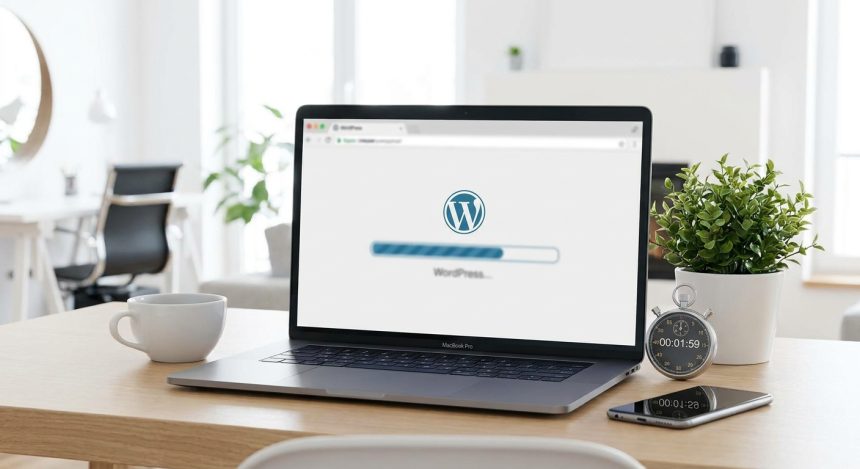
Can you imagine being able to create WordPress and have your website operational in less time than it takes to make a coffee? Stop dreaming. In Biblioweb, we reveal the formula to you 7. for launch your digital project at the speed of light. Forget complex configurations and hours of frustration. Your online presence is just 120 seconds away. This article will guide you step-by-step to make your digital dream come true without delay.
The Revolution of Creating WordPress Quickly
The digital world is advancing at a dizzying pace. Agility is key for any entrepreneur or business looking to stand out in a competitive market. Traditionally, create WordPress involved a series of steps technical aspects that could seem overwhelming for novices. From database configuration to manual file uploads, the process was long and error-prone. However, thanks to innovations in hosting and advanced installation tools, this process has been drastically simplified. Now, the barrier to entry for having your own website is almost non-existent, democratizing online presence for everyone.
Deployment speed not only saves time but also allows for greater experimentation and adaptation. You can test ideas, launch micro-projects, or create landing pages in a matter of minutes. This flexibility is invaluable in today's digital environment, where trends change rapidly and the ability to react is a crucial asset.
Essential Steps to Create WordPress in the Blink of an Eye
You don't need to be a programming expert to have your website up and running. With the right hosting providers, the process is surprisingly intuitive. Follow these steps for an express installation:
- Choose a quality hosting provider: Look for companies that offer installation of WordPress with a single click. Popular examples include SiteGround, Hostinger, Raiola Networks, or Webempresa. Make sure they include a free SSL certificate and good technical support.
- Select your ideal domain: Este será la dirección de tu sitio web (ej. “biblioweb.com”). Piensa en un nombre memorable, fácil de escribir y que represente tu marca o proyecto.
- Use the automatic installer for WordPress: Generally, it's a visible button in your control panel (cPanel, Plesk, or a provider's proprietary panel). This installer will handle all technical configurations for you.
- Configure the basic data: During installation, you will be asked for a username, a secure password
- Done! Access your administration panel: Once completed, you will receive a link to access your WordPress dashboard. From there, you can immediately start customizing and adding content.
Launching your online project has never been so simple and fast. The speed of implementation allows you to immediately focus on what really matters: your content, your products, your services, or the community you want to build. Don't underestimate the power of an agile start; it's the foundation for solid and sustained growth in the digital ecosystem.
Once your basic installation is ready, the next step is customization. WordPress offers thousands of themes (design templates) and plugins (additional functionalities) that allow you to adapt your site to your specific needs. From online stores with WooCommerce, the leading eCommerce platform for WordPress, up to personal blogs, professional portfolios, or educational platforms, the possibilities are endless. WordPress's versatility is, without a doubt, one of its greatest attractions, allowing you to scale your project without technical limits.
Beyond Installation: Optimization and Continuous Growth
Create WordPress is just the beginning of your digital journey. For your project to succeed long-term, it's essential to think about SEO optimization, security, and performance. A fast, secure, and well-positioned site will attract more visitors, generate more interaction, and improve your online authority. At Biblioweb, we offer advanced tutorials and practical tips to take your website to the next level.
Artificial intelligence also plays a crucial role in modern optimization. AI-based tools can help you generate content ideas, optimize texts for SEO, analyze user data to better understand their behavior, and improve the browsing experience with chatbots or personalized recommendations. This allows you to compete effectively in a saturated market, delegating repetitive tasks and freeing up your time for strategy and creativity.
Explore how AI can boost your content strategy in WordPress and automate repetitive tasks, freeing up your time for creativity and the development of innovative ideas. From drafting content to optimizing images, AI is your ally.
There are no excuses to postpone your digital dream. The era of waiting is over. With the right tools and accurate information, create WordPress is a process you can master in minutes. It's time to take the leap, launch your project, and show the world what you have to offer with Biblioweb as your guide!
Frequently Asked Questions
Is it really possible to create WordPress in 120 seconds?
Sí, absolutamente. Muchos proveedores de hosting de calidad ofrecen instaladores de WordPress con un solo clic que automatizan la mayor parte del proceso. Desde el momento en que haces clic en el botón de “instalar”, la configuración de la base de datos, los archivos y los permisos can be completed in a couple of minutes, allowing you to access the administration panel immediately. The record time will depend on your connection speed and server efficiency.
What do I need before I start creating WordPress?
Para empezar, necesitarás dos elementos fundamentales: un nombre de dominio (la dirección única de tu web en internet, ej. “biblioweb.com”) y un servicio de alojamiento web (hosting), que es el espacio en un servidor donde residirán los archivos de tu sitio. Te recomendamos investigar proveedores que incluyan certificados SSL gratuitos (para seguridad) y que garanticen buena velocidad y soporte técnico 24/7.
What do I do after installing WordPress?
Once installed, the next step is to customize it and start adding content. First, choose a theme (design template) that suits your brand's aesthetics and functionality. Then, install plugins essential for SEO (like Yoast SEO), security (Wordfence), cache (WP Super Cache), and contact forms. Finally, start creating your first pages (Home, Contact, About) and blog posts. blog. Explore the control panel to familiarize yourself with all available options.
Frequently Asked Questions
What is Creating WordPress?
Discover how to create WordPress and launch your website in just 2 minutes. Quick guide for entrepreneurs and digital projects. Don't wait any longer, start today!
Why is it important to Create WordPress?
It helps you get better results and make informed decisions about Goodbye to waiting! ⏳ Set up your WordPress in 120 seconds (yes, you read that right) and launch your project.
How to get started with Creating WordPress?
Follow the steps described in this article and apply the recommendations according to your case.