miércoles, 29 Jul 2026

Exclusive resources and tools for web design and development experts

Explore
BiblioWeb

Biblioweb.es

All About Web Technology

  • Start
  • Categories
    • Web Development and Plugins
    • AI & Web Automation
    • Cybersecurity and Web Security
    • WordPress Plugins
    • Web error solution
    • Web Hosting & Performance
  • WordPress
  • About Plugins
    • Yoast SEO
    • WooCommerce
    • Rank Math SEO
    • AI Engine
    • WP Rocket
    • WPCode
  • Tools
    • Generador de Contraseñas
    • Generador de Código QR
    • Contador de Palabras
    • Formateador JSON
    • Image to WebP Converter
    • Email Checker
  • Plugins Library
  • 🇪🇸 Español
  • 🇬🇧 English ✓
  • 🇩🇪 Deutsch
History
  • WordPress
  • WordPress plugins
  • Create website
  • WooCommerce
  • WordPress tricks
  • See everything
BiblioWebBiblioWeb
Font ResizerAa
  • News History
Search
  • Start
  • Categories
    • Web Development and Plugins
    • AI & Web Automation
    • Cybersecurity and Web Security
    • WordPress Plugins
    • Revolution
    • WooCommerce
    • Web Hosting & Performance
    • Troubleshooting web errors
    • Online Stores & Sales Funnels
  • WordPress
  • About Plugins
    • Rank Math SEO
    • AI Engine
    • WP Rocket
    • WPCode
  • Blog
    • 🇪🇸 Español
    • 🇬🇧 English ✓
    • 🇩🇪 Deutsch
  • My account
    • News History
  • Tools
    • Generador de Contraseñas
    • Generador de Código QR
    • Contador de Palabras
    • Formateador JSON
    • Image to WebP Converter
    • Email Checker
Have an existing account? Sign In
Follow Us
© 2026 Biblioweb. All Rights Reserved.
Cover » Blog » Forget the manuals! 🤯 Install WordPress faster than a TikTok and start creating TODAY.
Web Development and Plugins

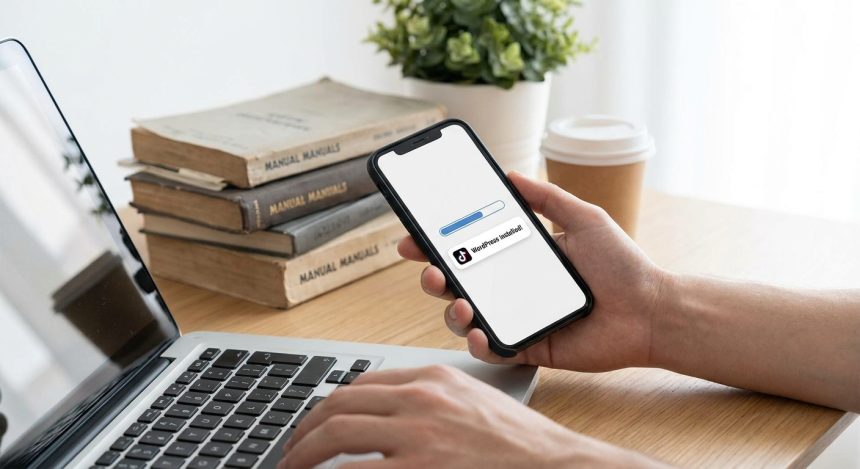
Forget the manuals! 🤯 Install WordPress faster than a TikTok and start creating TODAY.

Adrian Alcala
Last updated: 15/07/2026 18:46
By Adrian Alcala
Share
11 Min Read
Instalar WordPress - ¡Olvídate de los manuales! 🤯 Instala WordPress más rápido que un TikTok y empieza a crear HOY.
Want to install WordPress without complications? Discover our step-by-step guide and start creating your website in minutes. Learn with Biblioweb and launch your pr
SHARE

In today's fast-paced digital world, speed is gold. Do you dream of having your own website or blog but technical complexity holds you back? You're in the right place! At Biblioweb, we'll show you how to install WordPress so simply and quickly that you'll wonder why you didn't do it sooner. Forget endless guides and get ready to launch your online project faster than you upload a TikTok. It's time to stop procrastinating and start create TODAY.

Contents
Why choose WordPress for your digital project?Key preparations before Installing WordPressStep-by-step guide to Install WordPress (Faster than a TikTok!)First steps post-WordPress installationOptimize your WordPress installation with BibliowebConclusion: Your digital adventure starts nowFrequently Asked QuestionsFrequently Asked Questions

In this article

  1. Why choose WordPress for your digital project?
  2. Key preparations before Installing WordPress
  3. Step-by-step guide to Install WordPress (Faster than a TikTok!)
  4. First steps post-WordPress installation
  5. Optimize your WordPress installation with Biblioweb
  6. Conclusion: Your digital adventure starts now
  7. Frequently Asked Questions

Why choose WordPress for your digital project?

WordPress It's much more than a simple content manager; it's the backbone of millions of websites worldwide. Its popularity is no coincidence. It offers unparalleled flexibility, adapting to any type of project, from personal blogs to complex online stores or professional portfolios.

Its enormous community of developers and users guarantees constant updates, robust security, and an infinity of resources. Furthermore, its intuitive interface facilitates content management, even for beginners. You don't need to be an expert programmer to create an impressive website with WordPress.

Key preparations before Installing WordPress

Before diving into the installation process, there are a couple of fundamental elements you need to have ready. These are the foundation of your online presence and cannot be missing.

  • Web domain: It's your site's address on the internet (e.g., biblioweb.com). Choose a memorable one relevant to your brand.
  • Web hosting (Hosting): It's the space where all your website files will be stored. Select a reliable hosting provider that offers good performance and technical support.
  • Access credentials: Make sure you have your hosting control panel access details (cPanel, Plesk, etc.) handy.

With these three pillars in place, the path to install WordPress will be a piece of cake.

Step-by-step guide to Install WordPress (Faster than a TikTok!)

The fastest and most common way to install WordPress today is through the automatic installers offered by most hosting providers. Forget about downloads, FTP, and manual databases. Let's get to it!

You Might Also Like

Goodbye to Slowness! 🚀 Your WordPress Will Fly: Increase PHP Memory Limit in 3 Steps (Guide for Novices and Experts!)
Goodbye to SEO Chaos! Install Yoast SEO on WordPress and Activate Your Google Superpower (Quick and Fun Guide)
¡Stop Hackers! Tu WordPress blindado en minutos: Instala y configura Wordfence como un pro (¡y olvídate de los sustos!)
Install WordPress with AI? 🤖 Discover the FUTURE of #CreateWebsite and set up your site in record time.

Method 1: Automatic Installation with Softaculous (Recommended!)

This is the most direct way to have your WordPress up and running in a matter of minutes. Most cPanel hostings include a tool like Softaculous Apps Installer or Fantastico.

  1. Access your cPanel: Log in to your hosting control panel.
  2. Find the installer: Dentro de cPanel, busca la sección “Software” y haz clic en “Softaculous Apps Installer” o similar.
  3. Select WordPress: Verás el icono de WordPress. Haz clic en él y luego en “Instalar ahora”.
  4. Configure the details:
    • Protocol: Elige “https://” si tienes un certificado SSL.
    • Domain: Select the domain where you want to install it.
    • Directory: Leave blank to install it in the root (e.g., yourdomain.com). If you want it to be yourdomain.com/blog, escribe “blog”.
    • Site name and description: Give your website a name and a brief description.
    • Admin username and password: Create strong credentials! Write them down.
    • Admin email: Make sure it's a valid address.
  5. Haz clic en “Instalar”: In a few seconds, Softaculous will do all the heavy lifting for you.

Congratulations! You have just install WordPress. You will receive an email with the access details to your administration panel.

Method 2: Manual Installation (For the more adventurous)

Although the automatic method is the most efficient, knowing manual installation is useful for specific situations. It involves downloading WordPress, uploading it via FTP, creating a database, and configuring the wp-config.php file. It's a more technical process and takes longer, so to get started quickly, the automatic method is your best ally. For more details on this process, you can consult our advanced WordPress installation guide.

Key: Do you want to install WordPress without complications? Discover our step-by-step guide and start creating your website in minutes

First steps post-WordPress installation

Once your site is active, it's time to shape it. Access your WordPress dashboard (usually yourdomain.com/wp-admin) with the credentials you created.

  • General settings: Ve a “Ajustes” > “Generales” para revisar el título, la descripción y la zona horaria.
  • Permalinks: En “Ajustes” > “Enlaces permanentes”, selecciona “Nombre de la entrada” para URLs amigables con el SEO.
  • Install a theme: Ve a “Apariencia” > “Temas” y elige uno que se adapte a tu visión. Hay miles gratuitos y de pago.
  • Plugins essential: Consider installing plugins for security (e.g., Wordfence), SEO (e.g., Yoast SEO), and cache (e.g., LiteSpeed Cache or WP Super Cache). Discover our selection of essential plugins for WordPress.

Remember that security and performance are crucial for your website's success. Dedicate time to configure these aspects from the beginning to avoid future problems.

Optimize your WordPress installation with Biblioweb

Now that you know how to install WordPress, the next step is to optimize it. At Biblioweb, we specialize in helping you get the most out of your platform. From choosing the best themes and plugins, up to advanced SEO and digital marketing strategies, we are here to guide you.

Explore our tutorials on how to configure Yoast SEO, improve your website's loading speed, or integrate WooCommerce for your online store. Our goal is for you not only to install but also to succeed with your website.

Conclusion: Your digital adventure starts now

As you can see, install WordPress doesn't have to be an odyssey. With the right steps and the right tool, you can have your site online in minutes. This is just the first step of your exciting journey in the digital world. At Biblioweb, we will accompany you at every stage, providing you with the knowledge and tools so that your project not only comes to life but flourishes.

Ready to start creating? The world awaits your ideas!

Frequently Asked Questions

Do I need to know how to program to use WordPress?

Absolutely not. WordPress is designed to be intuitive and easy to use, even for people without programming knowledge. Its graphical interface and visual page builders allow you to create and customize your site without writing a single line of code.

Is WordPress free?

Yes, the WordPress software itself is open source and completely free. However, you will need to invest in a domain and a web hosting service, which are the pillars for your site to be accessible on the internet. There are also themes and plugins paid ones that offer advanced functionalities, but there are many high-quality free options.

How long does it take to install WordPress with the automatic method?

With the automatic installation method (like Softaculous), the process of install WordPress usually takes between 1 and 5 minutes. Once the basic details are configured, the tool handles everything quickly, leaving you ready to start customizing your site.

Related services

Interested? Discover how we can help you.

Create WordPress from Scratch: Essential Plugins for Beginners →
Goodbye to waiting! ⏳ Set up your WordPress in 120 seconds (yes, you read that right) and launch your project. →
Best Web Solutions and Digital Marketing Portal →

Frequently Asked Questions

What is Installing WordPress?

Want to install WordPress without complications? Discover our step-by-step guide and start creating your website in minutes. Learn with Biblioweb and launch your pr

Why is it important to Install WordPress?

It helps you get better results and make informed decisions about Forget the manuals! 🤯 Install WordPress faster than a TikTok and start creating TODAY..

How to get started with Installing WordPress?

Follow the steps described in this article and apply the recommendations according to your case.

TAGGED:InstallInstallInstall WordPressmanualsForgetWordPress
Share This Article
Email Copy Link Print
Previous Article Crear WordPress - ¡Adiós a la espera! ⏳ Monta tu WordPress en 120 segundos (sí, leíste bien) y lanza tu proyecto. Goodbye to waiting! ⏳ Set up your WordPress in 120 seconds (yes, you read that right) and launch your project.
Next Article Crear WordPress - ¿Tu idea de negocio no arranca? 🚀 Con WordPress en 2 minutos, tu web estará lista antes que tu café. Your business idea not taking off? 🚀 With WordPress in 2 minutes, your website will be ready before your coffee.
como instalar wordpress - Cómo instalar WordPress: ¿CPanel, FTP o Instalación Rápida? Descubre el método perfecto para tu pro
Cómo instalar WordPress: ¿CPanel, FTP o Instalación Rápida? Descubre el método perfecto para tu proyecto (¡Tú eliges el camino para tu web!)
WordPress
wordpress instalacion - ¡Crea tu web YA! 💸 WordPress Instalación Gratis: Guía para montar tu sitio sin gastar un euro (¡y si
¡Crea tu web YA! 💸 WordPress Instalación Gratis: Guía para montar tu sitio sin gastar un euro (¡y sin ser un experto!)
WordPress
como instalar wordpress - De cero a héroe web: Descubre cómo instalar WordPress y empezar a crear tu página web hoy mismo (¡T
De cero a héroe web: Descubre cómo instalar WordPress y empezar a crear tu página web hoy mismo (¡Tu negocio te lo agradecerá!).
WordPress
Ilustración de fragmentos de código organizados en una carpeta, representando un gestor de snippets
WPCode: el gestor de snippets de WordPress que se ha vuelto imprescindible
WordPress Plugins
Advertisement

You May Also Like

WordPress - SEO Inteligente con Yoast: Prepara tu WordPress para las Actualizaciones de Google y Descubre cómo la IA Potencia
AI & Web Automation

Smart SEO with Yoast: Prepare Your WordPress for Google Updates and Discover How AI Powers Your Strategy

July 15, 2026
wordpress instalacion - Instalación de WordPress: ¿Qué hosting necesitas para un rendimiento TOP con IA?
WordPress

Instalación de WordPress: ¿Qué hosting necesitas para un rendimiento TOP con IA?

24/07/2026
Stripe o PayPal WordPress - ¿Stripe o PayPal? 🥊 La Batalla de Pasarelas para tu WordPress: Elige al Campeón para tu Negocio
WordPress PluginsOnline Stores & Sales Funnels

Stripe or PayPal? 🥊 The Payment Gateway Battle for Your WordPress: Choose the Champion for Your Online Business NOW!

July 15, 2026
Wordpress - ⚠️ ¡Error de Principiante! Los 5 Fallos al Instalar WordPress que Destrozan tu Web (y cómo evitarlos)
WordPress

⚠️ Beginner's Mistake! The 5 WordPress Installation Failures That Destroy Your Website (and how to avoid them)

July 17, 2026
Show More
  • More News:
  • WordPress
  • Discover
  • Create
  • instalación
  • Install
  • wordpress instalacion
  • Google
  • page
  • Create webpage
  • Plugins
  • WooCommerce
  • Yoast
  • instalando wordpress
  • future
  • instalando
  • create
  • I pay
  • Hosting
  • Guía
  • Install WordPress
BiblioWeb

Biblioweb.es

Web Technology News

Information you can trust: Stay up-to-date instantly with the latest news and live updates. From politics and technology to entertainment and much more.

YouTube Medium RSS

Links of interest

Subscribe now to receive real-time updates on the latest news!

Legal

  • Legal Notice
  • Terms and Conditions
  • Cookies Policy
  • Privacy Policy

Latest news

como instalar wordpress - Cómo instalar WordPress: ¿CPanel, FTP o Instalación Rápida? Descubre el método perfecto para tu pro

Cómo instalar WordPress: ¿CPanel, FTP o Instalación Rápida? Descubre el método perfecto para tu proyecto (¡Tú eliges el camino para tu web!)

29/07/2026
Continue reading
wordpress instalacion - ¡Crea tu web YA! 💸 WordPress Instalación Gratis: Guía para montar tu sitio sin gastar un euro (¡y si

¡Crea tu web YA! 💸 WordPress Instalación Gratis: Guía para montar tu sitio sin gastar un euro (¡y sin ser un experto!)

27/07/2026
Continue reading

© biblioweb.es 2026. All Rights Reserved.

Welcome to Foxiz
Username or Email Address
Password

Lost your password?

We use our own and third-party cookies for technical, analytics and, where applicable, marketing purposes. You can accept all cookies, reject them, or configure your preferences. More information

Necessary

Essential for the website to function. Always active.

Preferences

Allow remembering choices such as language or region.

Analytics

Help us understand how the website is used in order to improve it.

Marketing

Used to display relevant advertising and measure its effectiveness.