miércoles, 29 Jul 2026

Exclusive resources and tools for web design and development experts

Explore
BiblioWeb

Biblioweb.es

All About Web Technology

  • Start
  • Categories
    • Web Development and Plugins
    • AI & Web Automation
    • Cybersecurity and Web Security
    • WordPress Plugins
    • Web error solution
    • Web Hosting & Performance
  • WordPress
  • About Plugins
    • Yoast SEO
    • WooCommerce
    • Rank Math SEO
    • AI Engine
    • WP Rocket
    • WPCode
  • Tools
    • Generador de Contraseñas
    • Generador de Código QR
    • Contador de Palabras
    • Formateador JSON
    • Image to WebP Converter
    • Email Checker
  • Plugins Library
  • 🇪🇸 Español
  • 🇬🇧 English ✓
  • 🇩🇪 Deutsch
History
  • WordPress
  • WordPress plugins
  • Create website
  • WooCommerce
  • WordPress tricks
  • See everything
BiblioWebBiblioWeb
Font ResizerAa
  • News History
Search
  • Start
  • Categories
    • Web Development and Plugins
    • AI & Web Automation
    • Cybersecurity and Web Security
    • WordPress Plugins
    • Revolution
    • WooCommerce
    • Web Hosting & Performance
    • Troubleshooting web errors
    • Online Stores & Sales Funnels
  • WordPress
  • About Plugins
    • Rank Math SEO
    • AI Engine
    • WP Rocket
    • WPCode
  • Blog
    • 🇪🇸 Español
    • 🇬🇧 English ✓
    • 🇩🇪 Deutsch
  • My account
    • News History
  • Tools
    • Generador de Contraseñas
    • Generador de Código QR
    • Contador de Palabras
    • Formateador JSON
    • Image to WebP Converter
    • Email Checker
Have an existing account? Sign In
Follow Us
© 2026 Biblioweb. All Rights Reserved.
Cover » Blog » Your business idea not taking off? 🚀 With WordPress in 2 minutes, your website will be ready before your coffee.
WordPress Plugins

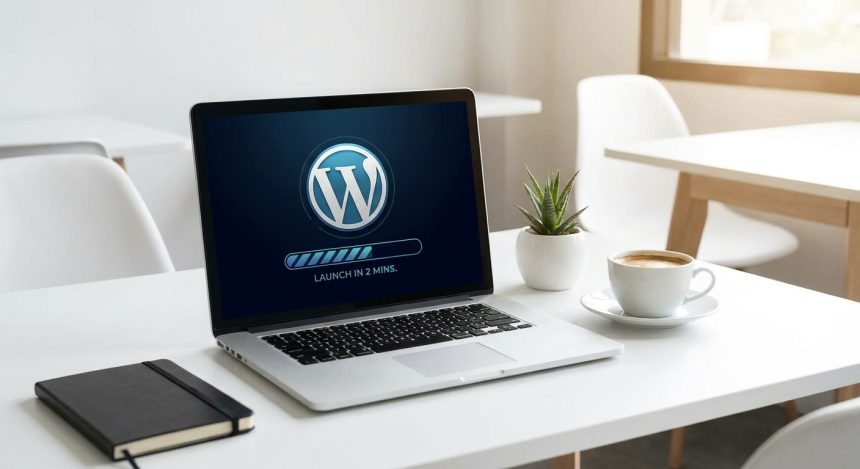
Your business idea not taking off? 🚀 With WordPress in 2 minutes, your website will be ready before your coffee.

Adrian Alcala
Last updated: 15/07/2026 18:46
By Adrian Alcala
Share
9 Min Read
Crear WordPress - ¿Tu idea de negocio no arranca? 🚀 Con WordPress en 2 minutos, tu web estará lista antes que tu café.
Does your business need an online presence? Discover how to create WordPress in just 2 minutes and launch your website. Start your project today with Biblioweb!
SHARE

Do you have a brilliant business idea but feel stuck? Many entrepreneurs face this challenge. The technological barrier is often a hindrance. However, you'll be surprised how simple it is to create WordPress to launch your project. Imagine having your website ready before finishing your morning coffee. It's a reality. With WordPress, your online presence materializes in the blink of an eye.

Contents
Why Creating WordPress is the Key for Entrepreneurs?First Steps to Create Your WordPress Quickly and EasilyDesign and Launch: Customize Your Website with WordPressOptimize Your WordPress Site for SuccessFrequently Asked QuestionsFrequently Asked Questions

In this article

  1. Why Creating WordPress is the Key for Entrepreneurs?
  2. First Steps to Create Your WordPress Quickly and Easily
  3. Design and Launch: Customize Your Website with WordPress
  4. Optimize Your WordPress Site for Success
  5. Frequently Asked Questions

Forget complex codes and lengthy processes. The leading content management platform awaits you. It allows anyone to build a professional website. No matter your experience level.

Why Creating WordPress is the Key for Entrepreneurs?

WordPress is more than a simple content manager. It is a powerful tool for entrepreneurs. It offers unparalleled flexibility. It allows businesses of all sizes to establish their digital presence.

Its popularity is due to several fundamental reasons. It is intuitive and scalable. Furthermore, it has a global support community. This facilitates any creation or adjustment process.

With WordPress, your business will not only have a website, but a solid foundation to grow. Design freedom and functionality are limitless. You will be able to adapt your site to each new stage of your venture.

Implementation speed is a crucial factor. In a competitive market, every minute counts. Create WordPress gives you a decisive advantage. Launch your idea to the world without delay.

You Might Also Like

Your first WordPress website? These plugins are your cheat sheet to succeed without headaches
Instalando WordPress: ¿CPanel, Softaculous o Instalación Manual? ¡La guía definitiva para no perderte!
Goodbye to Slowness! 🚀 Your WordPress Will Fly: Increase PHP Memory Limit in 3 Steps (Guide for Novices and Experts!)
Your First Website in Minutes! 🚀 How to Install WordPress EASILY and QUICKLY (without breaking a sweat!)

First Steps to Create Your WordPress Quickly and Easily

The process for create your WordPress is surprisingly straightforward. You just need to follow a few steps. Don't get overwhelmed with technical details. We focus on efficiency.

  • Choose quality hosting: It's your website's home. It must be fast and reliable.
  • Register your ideal domain: It will be your business's internet address. Think of something memorable and relevant.
  • Install WordPress with one click: Most hosting providers offer this option. It's an automated process.

Selecting a good hosting provider is the first vital step. It directly affects your site's speed and security. Research reputable options. Look for 24/7 technical support.

Your domain name is your digital identity. Think of relevant keywords. Make sure it's easy to remember. A good domain strengthens your brand.

WordPress installation is, in many cases, automatic. Control panels like cPanel make it very simple. In a few seconds, you'll have the foundation of your website running. If you need more information on how to choose the perfect digital space, consult our Complete guide to choosing your ideal hosting.

Design and Launch: Customize Your Website with WordPress

Once installed, the next step is to bring your site to life. WordPress offers thousands of themes. These are predefined design templates. You can choose one that suits your brand.

Customization is simple. Change colors, fonts, and element layout. You don't need to know graphic design. Visual builders do the work for you.

The plugins are extensions that add functionalities. They improve your website's performance. They allow you to integrate contact forms or image galleries. There's a plugin for almost everything.

Key: Does your business need an online presence? Discover how to create WordPress in just 2 minutes and launch your website

Start uploading your content. Publish articles about blog, service or product pages. Share your value proposition. Your audience is waiting to discover you.

Optimize Your WordPress Site for Success

Create WordPress is just the beginning. For your business to thrive, your website must be visible. Search engine optimization (SEO) is crucial. Improve your ranking on Google.

Use plugins SEO tools like Yoast SEO. They will guide you every step of the way. Optimize your titles, descriptions, and content. Make sure your website is fast. Page load speed is a key ranking factor.

Create relevant and valuable content for your audience. Answer their questions. Offer solutions to their problems. This will attract organic traffic to your site. Keep your site updated. Themes and plugins should always be on their latest version. This ensures security and compatibility. To delve deeper into how to make your website more visible, don't miss our article on Discover the best WordPress plugins for SEO.

Interaction with your audience is also vital. Enable comments on your blog. Answer their questions. Build a community around your brand.

Analyze your website's performance. Tools like Google Analytics will give you valuable information. Understand what works and what you can improve. Continuously adjust your strategy.

In summary, create WordPress is a smart decision. It's a fundamental step for any modern entrepreneur. It allows you to go from idea to action quickly. Your business deserves a robust and professional online presence.

Don't let technology hold you back. With WordPress, you have the power to build. Launch your project today. Be amazed at how quickly you can see your idea come to life.

Ready to start? Your website awaits.

Frequently Asked Questions

Is it difficult to learn how to use WordPress?

Absolutely not! WordPress is designed for users of all levels. Its interface is intuitive and easy to use. There are thousands of tutorials and a large support community. You will quickly learn the basic functions.

How much does it cost to create a website with WordPress?

WordPress itself is free. The main costs are hosting and the domain, which can range from a few euros per month. There are themes and plugins free and paid. You can start with a minimal investment and scale as your business grows.

Do I need programming knowledge to create my WordPress?

No, you don't need to know how to code. WordPress allows you to build complete websites without touching a line of code. Visual builders and pre-designed themes simplify everything. If you want very advanced functionalities, you might require a developer, but for most businesses, it's not necessary.

Related services

Interested? Discover how we can help you.

Create WordPress from Scratch: Essential Plugins for Beginners →
Goodbye to waiting! ⏳ Set up your WordPress in 120 seconds (yes, you read that right) and launch your project. →
Best Web Solutions and Digital Marketing Portal →

Frequently Asked Questions

What is Creating WordPress?

Does your business need an online presence? Discover how to create WordPress in just 2 minutes and launch your website. Start your project today with Biblioweb!

Why is it important to Create WordPress?

It helps you get better results and make informed decisions about Is your business idea not taking off? 🚀 With WordPress in 2 minutes, your website will be ready before your coffee.

How to get started with Creating WordPress?

Follow the steps described in this article and apply the recommendations according to your case.

TAGGED:CreateCreate WordPressideabusinessWordPress
Share This Article
Email Copy Link Print
Previous Article Instalar WordPress - ¡Olvídate de los manuales! 🤯 Instala WordPress más rápido que un TikTok y empieza a crear HOY. Forget the manuals! 🤯 Install WordPress faster than a TikTok and start creating TODAY.
Next Article Instalar Yoast SEO - ¡Adiós al Caos SEO! Instala Yoast SEO en WordPress y Activa tu Superpoder para Google (Guía Rápida y Div Goodbye to SEO Chaos! Install Yoast SEO on WordPress and Activate Your Google Superpower (Quick and Fun Guide)
como instalar wordpress - Cómo instalar WordPress: ¿CPanel, FTP o Instalación Rápida? Descubre el método perfecto para tu pro
Cómo instalar WordPress: ¿CPanel, FTP o Instalación Rápida? Descubre el método perfecto para tu proyecto (¡Tú eliges el camino para tu web!)
WordPress
wordpress instalacion - ¡Crea tu web YA! 💸 WordPress Instalación Gratis: Guía para montar tu sitio sin gastar un euro (¡y si
¡Crea tu web YA! 💸 WordPress Instalación Gratis: Guía para montar tu sitio sin gastar un euro (¡y sin ser un experto!)
WordPress
como instalar wordpress - De cero a héroe web: Descubre cómo instalar WordPress y empezar a crear tu página web hoy mismo (¡T
De cero a héroe web: Descubre cómo instalar WordPress y empezar a crear tu página web hoy mismo (¡Tu negocio te lo agradecerá!).
WordPress
Ilustración de fragmentos de código organizados en una carpeta, representando un gestor de snippets
WPCode: el gestor de snippets de WordPress que se ha vuelto imprescindible
WordPress Plugins
Advertisement

You May Also Like

Wordpress - ¿IA al rescate? Descubre cómo la Inteligencia Artificial puede blindar tu WordPress aunque seas un total principi
AI & Web Automation

AI to the rescue? Discover how Artificial Intelligence can fortify your WordPress, even if you're a complete beginner.

July 15, 2026
Crear pagina web - Tu #CrearPaginaWeb WordPress no es un blog cualquiera: ¡Descubre los trucos para monetizarla y crecer! 💰
WordPress

Your WordPress website isn't just any blog: Discover the tricks to monetize it and grow! 💰

July 20, 2026
Ilustración de un velocímetro y un cohete junto a una ventana de navegador, representando velocidad web
WordPress Plugins

WP Rocket: por qué sigue siendo el plugin de caché de referencia en WordPress en 2026

26/07/2026
WordPress - SEO Inteligente con Yoast: Prepara tu WordPress para las Actualizaciones de Google y Descubre cómo la IA Potencia
AI & Web Automation

Smart SEO with Yoast: Prepare Your WordPress for Google Updates and Discover How AI Powers Your Strategy

July 15, 2026
Show More
  • More News:
  • WordPress
  • Discover
  • Create
  • instalación
  • Install
  • wordpress instalacion
  • Google
  • page
  • Create webpage
  • Plugins
  • WooCommerce
  • Yoast
  • instalando wordpress
  • future
  • instalando
  • create
  • I pay
  • Hosting
  • Guía
  • Install WordPress
BiblioWeb

Biblioweb.es

Web Technology News

Information you can trust: Stay up-to-date instantly with the latest news and live updates. From politics and technology to entertainment and much more.

YouTube Medium RSS

Links of interest

Subscribe now to receive real-time updates on the latest news!

Legal

  • Legal Notice
  • Terms and Conditions
  • Cookies Policy
  • Privacy Policy

Latest news

como instalar wordpress - Cómo instalar WordPress: ¿CPanel, FTP o Instalación Rápida? Descubre el método perfecto para tu pro

Cómo instalar WordPress: ¿CPanel, FTP o Instalación Rápida? Descubre el método perfecto para tu proyecto (¡Tú eliges el camino para tu web!)

29/07/2026
Continue reading
wordpress instalacion - ¡Crea tu web YA! 💸 WordPress Instalación Gratis: Guía para montar tu sitio sin gastar un euro (¡y si

¡Crea tu web YA! 💸 WordPress Instalación Gratis: Guía para montar tu sitio sin gastar un euro (¡y sin ser un experto!)

27/07/2026
Continue reading

© biblioweb.es 2026. All Rights Reserved.

Welcome to Foxiz
Username or Email Address
Password

Lost your password?

We use our own and third-party cookies for technical, analytics and, where applicable, marketing purposes. You can accept all cookies, reject them, or configure your preferences. More information

Necessary

Essential for the website to function. Always active.

Preferences

Allow remembering choices such as language or region.

Analytics

Help us understand how the website is used in order to improve it.

Marketing

Used to display relevant advertising and measure its effectiveness.