miércoles, 29 Jul 2026

Exclusive resources and tools for web design and development experts

Explore
BiblioWeb

Biblioweb.es

All About Web Technology

  • Start
  • Categories
    • Web Development and Plugins
    • AI & Web Automation
    • Cybersecurity and Web Security
    • WordPress Plugins
    • Web error solution
    • Web Hosting & Performance
  • WordPress
  • About Plugins
    • Yoast SEO
    • WooCommerce
    • Rank Math SEO
    • AI Engine
    • WP Rocket
    • WPCode
  • Tools
    • Generador de Contraseñas
    • Generador de Código QR
    • Contador de Palabras
    • Formateador JSON
    • Image to WebP Converter
    • Email Checker
  • Plugins Library
  • 🇪🇸 Español
  • 🇬🇧 English ✓
  • 🇩🇪 Deutsch
History
  • WordPress
  • WordPress plugins
  • Create website
  • WooCommerce
  • WordPress tricks
  • See everything
BiblioWebBiblioWeb
Font ResizerAa
  • News History
Search
  • Start
  • Categories
    • Web Development and Plugins
    • AI & Web Automation
    • Cybersecurity and Web Security
    • WordPress Plugins
    • Revolution
    • WooCommerce
    • Web Hosting & Performance
    • Troubleshooting web errors
    • Online Stores & Sales Funnels
  • WordPress
  • About Plugins
    • Rank Math SEO
    • AI Engine
    • WP Rocket
    • WPCode
  • Blog
    • 🇪🇸 Español
    • 🇬🇧 English ✓
    • 🇩🇪 Deutsch
  • My account
    • News History
  • Tools
    • Generador de Contraseñas
    • Generador de Código QR
    • Contador de Palabras
    • Formateador JSON
    • Image to WebP Converter
    • Email Checker
Have an existing account? Sign In
Follow Us
© 2026 Biblioweb. All Rights Reserved.
Cover » Blog » Is your WordPress website a sieve? The 3 most common security breaches that beginners ignore (and how to close them now).
Cybersecurity and Web Security

Is your WordPress website a sieve? The 3 most common security breaches that beginners ignore (and how to close them now).

Adrian Alcala
Last updated: 15/07/2026 18:47
By Adrian Alcala
Share
8 Minute Read
Wordpress - ¿Tu web WordPress es un colador? Las 3 brechas de seguridad más comunes que los novatos ignoran (y cómo cerrarlas
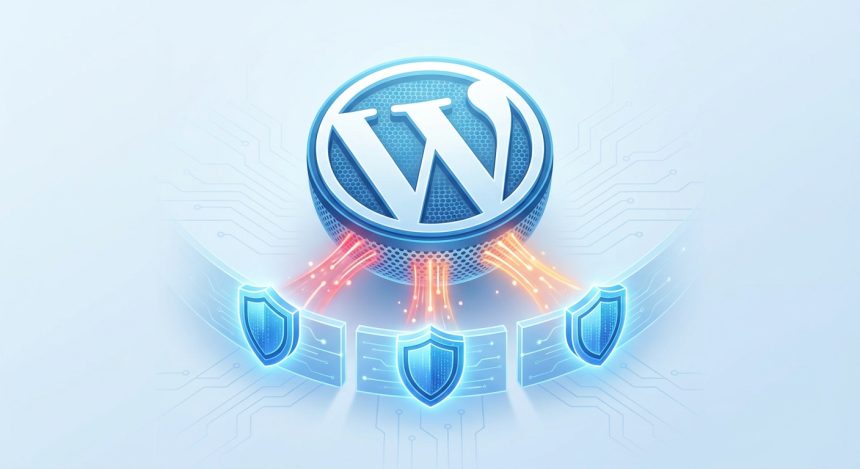
Protect your WordPress. Discover 3 common security vulnerabilities that beginners overlook and how to close them now. Keep your website safe with Biblioweb!
SHARE

Do you feel a chill when you think about your website's security? You're not alone. Many users of WordPressespecially those who are just starting out, underestimate the importance of securing their site. But the reality is that your online project can be vulnerable to attacks if you ignore certain basic loopholes. At Biblioweb, we understand your concern and want to help you protect your investment. Today, we reveal the 3 most common security flaws that beginners often overlook in their WordPress and, most importantly, we'll show you how to close them immediately. Get ready to strengthen your website!

Contents
Weak passwords and default users: The easiest gateway to your WordPressOutdated Plugins and Themes: A minefield for your WordPressLack of Backups and Reactive Security: When your WordPress is already in troubleConclusion: Empower yourself and bulletproof your WordPressFrequently Asked Questions

Weak passwords and default users: The easiest gateway to your WordPress

Imagine leaving your front door open with a note that says "come in." It sounds absurd, right? Well, that's what happens when you use passwords like "123456" or "password," or keep the default "admin" username. They are open invitations to cybercriminals. Most attacks on websites WordPress They start here.

Bots and hackers use automated programs to test millions of username and password combinations every day. If yours is predictable, it's only a matter of time before they find it. A compromised site can mean data loss, malware injection, or even complete control of your website.

How to shield this gap?

  • Strong Passwords Create long passwords (more than 12 characters) that combine uppercase letters, lowercase letters, numbers, and symbols. Use a password manager if you need one.
  • Change the User "admin": Never use "admin" as a username. Create a new user with administrator privileges and then delete the original "admin". It's a simple, but crucial step.
  • Two-Factor Authentication (2FA) Add an extra layer of security. With 2FA, in addition to your password, you'll need a code from your mobile to log in. There is plugins excellent ones that make this easy for you.

Remember: the security of your access is the first line of defense for your WordPress. Don't take it lightly.

Plugins Outdated Themes: A Minefield for Your WordPress

Your site WordPress it is not a static entity. Developers constantly release updates for the WordPress core, as well as for plugins and themes you use. These updates not only add new functionalities but, and this is vital, fix security vulnerabilities that have been discovered. Ignoring them is like walking through a minefield blindfolded.

An outdated plugin or theme is a potential security hole. Hackers are always looking for these known weaknesses to exploit them. Once they find a vulnerability in an old version of software, they can use it to access thousands of sites that haven't been updated.

You Might Also Like

From zero to pro in WordPress: Discover the plugins that even AI would recommend for your web project
AI Uncovered: Hidden Threats in WordPress Plugin Updates and How to Protect Yourself
First steps in WordPress? Avoid these 5 security mistakes that hackers love.
Slow WordPress NO MORE: Discover the 'PHP Trick' Pros Use to Speed Up Their Websites in 3 Steps

Steps to keep your WordPress up to date:

  • Constant Updates Configure your WordPress dashboard to notify you of updates and perform them as soon as they are available. Before updating, always back up.
  • Reliable Sources Download plugins and themes only from official sources (WordPress.org repository, reputable premium developers). Avoid "nulled" or pirated ones; they often contain malicious code.
  • Regular Audit Periodically review the plugins and themes you have installed. If you don't use them, deactivate and delete them! Less software means fewer potential entry points. Discover how to choose secure plugins for your WordPress.

Maintain your ecosystem of WordPress Updated is one of the most effective and simple security practices you can implement.

Lack of Backups and Reactive Security: When your WordPress is already in trouble

No matter how well you do it, no system is 100% invulnerable. A human error, a server failure, or a sophisticated attack can occur. This is where backups come into play. Not having a backup strategy is like building a house without fire insurance.

Many beginners only think about security once their site has been hacked or has gone down. At that point, if you don't have a recent and functional backup, recovery can be a nightmare, costly, and in the worst-case scenario, impossible. Losing all your content, your SEO, and your brand's reputation is a risk no one should take.

Your WordPress backup strategy:

  • Automate Your Backups Use backup plugins or your hosting's services to schedule automatic and regular backups of your entire site (files and database).
  • External Storage Store your backups in a different location than your web server (Google Drive, Dropbox, Amazon S3). This way, if the server fails, your copies are safe.
  • Test Your Backups It's not enough to make them; ensure you can restore them. Perform periodic tests in a staging environment to verify that the copies are functional. Optimize your WordPress performance while securing it.

A good backup plan is your ultimate safety net. It allows you to breathe easy knowing that, no matter what happens, you can recover your WordPress and get back online quickly.

Conclusion: Empower yourself and fortify your WordPress

Your site's security WordPress It's not a luxury, it's a necessity. Ignoring these three common gaps can have devastating consequences for your online project. But don't worry, you have the power to change it! By implementing strong passwords, keeping your software updated, and performing regular backups, you'll be taking giant leaps to protect your website.

At Biblioweb, we want your WordPress experience to be secure and successful. Don't let your website be a "sieve." Take control today and fortify your platform!

Frequently Asked Questions

How often should I back up my WordPress site?

It depends on how often you update your content. For active blogs or online stores, at least a daily backup is recommended. For sites with weekly updates, a weekly backup may be sufficient. Always have a backup before making any major changes.

Is it necessary to use a security plugin in WordPress?

Although basic good practices are fundamental, a security plugin (like Wordfence or iThemes Security) adds an extra layer of protection. They offer features such as a firewall, malware scanning, brute-force attack protection, and activity monitoring, complementing your manual efforts.

What do I do if my WordPress site has already been hacked?

First, don't panic. Disconnect the site if possible to prevent further damage. Then, restore a clean backup (from before the hack). If you don't have one, contact a WordPress security expert or your hosting provider. Change all your passwords and clean up any suspicious files before putting it back online.


TAGGED:gapscommonsnewbiessecurityWordPress
Share This Article
Email Copy Link Print
Previous Article plugins para WordPress - De cero a pro en WordPress: Descubre los plugins que hasta la IA te recomendaría para tu proyecto we From zero to pro in WordPress: Discover the plugins that even AI would recommend for your web project
Next Article Wordpress - Tu WordPress bajo ataque: Guía rápida para novatos sobre cómo detectar y limpiar tu web (antes de que sea tarde). Your WordPress Under Attack: A Quick Guide for Beginners on How to Detect and Clean Your Site (Before It's Too Late).
como instalar wordpress - Cómo instalar WordPress: ¿CPanel, FTP o Instalación Rápida? Descubre el método perfecto para tu pro
Cómo instalar WordPress: ¿CPanel, FTP o Instalación Rápida? Descubre el método perfecto para tu proyecto (¡Tú eliges el camino para tu web!)
WordPress
wordpress instalacion - ¡Crea tu web YA! 💸 WordPress Instalación Gratis: Guía para montar tu sitio sin gastar un euro (¡y si
¡Crea tu web YA! 💸 WordPress Instalación Gratis: Guía para montar tu sitio sin gastar un euro (¡y sin ser un experto!)
WordPress
como instalar wordpress - De cero a héroe web: Descubre cómo instalar WordPress y empezar a crear tu página web hoy mismo (¡T
De cero a héroe web: Descubre cómo instalar WordPress y empezar a crear tu página web hoy mismo (¡Tu negocio te lo agradecerá!).
WordPress
Ilustración de fragmentos de código organizados en una carpeta, representando un gestor de snippets
WPCode: el gestor de snippets de WordPress que se ha vuelto imprescindible
WordPress Plugins
Advertisement

You May Also Like

Instalar WordPress - ¡Olvídate de los manuales! 🤯 Instala WordPress más rápido que un TikTok y empieza a crear HOY.
Web Development and Plugins

Forget the manuals! 🤯 Install WordPress faster than a TikTok and start creating TODAY.

July 15, 2026
Wordpress - ¡Vende MÁS con IA! 🚀 Pasarelas de Pago para tu WooCommerce que Disparan tus Ventas (y cómo configurarlas para el
WooCommerce

Sell MORE with AI! 🚀 Payment Gateways for your WooCommerce that Skyrocket your Sales (and how to configure them for SUCCESS).

July 20, 2026
wordpress instalacion - ¡No te compliques! 🤯 Guía Definitiva de Instalación de WordPress: ¿Hosting, Cpanel o Local? Elige tu
WordPress

¡No te compliques! 🤯 Guía Definitiva de Instalación de WordPress: ¿Hosting, Cpanel o Local? Elige tu aventura para #CrearPaginaWeb

24/07/2026
WordPress - Más Allá de lo Básico: Desbloquea los Trucos Ocultos de Yoast SEO para Llevar tu WordPress al Siguiente Nivel (¡y
Web Development and Plugins

Beyond the Basics: Unlock Yoast SEO's Hidden Tricks to Take Your WordPress to the Next Level (and Rank First!)

July 15, 2026
Show More
  • More News:
  • WordPress
  • Discover
  • Create
  • instalación
  • Install
  • wordpress instalacion
  • Google
  • page
  • Create webpage
  • Plugins
  • WooCommerce
  • Yoast
  • instalando wordpress
  • future
  • instalando
  • create
  • I pay
  • Hosting
  • Guía
  • Install WordPress
BiblioWeb

Biblioweb.es

Web Technology News

Information you can trust: Stay up-to-date instantly with the latest news and live updates. From politics and technology to entertainment and much more.

YouTube Medium RSS

Links of interest

Subscribe now to receive real-time updates on the latest news!

Legal

  • Legal Notice
  • Terms and Conditions
  • Cookies Policy
  • Privacy Policy

Latest news

como instalar wordpress - Cómo instalar WordPress: ¿CPanel, FTP o Instalación Rápida? Descubre el método perfecto para tu pro

Cómo instalar WordPress: ¿CPanel, FTP o Instalación Rápida? Descubre el método perfecto para tu proyecto (¡Tú eliges el camino para tu web!)

29/07/2026
Continue reading
wordpress instalacion - ¡Crea tu web YA! 💸 WordPress Instalación Gratis: Guía para montar tu sitio sin gastar un euro (¡y si

¡Crea tu web YA! 💸 WordPress Instalación Gratis: Guía para montar tu sitio sin gastar un euro (¡y sin ser un experto!)

27/07/2026
Continue reading

© biblioweb.es 2026. All Rights Reserved.

Welcome to Foxiz
Username or Email Address
Password

Lost your password?

We use our own and third-party cookies for technical, analytics and, where applicable, marketing purposes. You can accept all cookies, reject them, or configure your preferences. More information

Necessary

Essential for the website to function. Always active.

Preferences

Allow remembering choices such as language or region.

Analytics

Help us understand how the website is used in order to improve it.

Marketing

Used to display relevant advertising and measure its effectiveness.