miércoles, 29 Jul 2026

Exclusive resources and tools for web design and development experts

Explore
BiblioWeb

Biblioweb.es

All About Web Technology

  • Start
  • Categories
    • Web Development and Plugins
    • AI & Web Automation
    • Cybersecurity and Web Security
    • WordPress Plugins
    • Web error solution
    • Web Hosting & Performance
  • WordPress
  • About Plugins
    • Yoast SEO
    • WooCommerce
    • Rank Math SEO
    • AI Engine
    • WP Rocket
    • WPCode
  • Tools
    • Generador de Contraseñas
    • Generador de Código QR
    • Contador de Palabras
    • Formateador JSON
    • Image to WebP Converter
    • Email Checker
  • Plugins Library
  • 🇪🇸 Español
  • 🇬🇧 English ✓
  • 🇩🇪 Deutsch
History
  • WordPress
  • WordPress plugins
  • Create website
  • WooCommerce
  • WordPress tricks
  • See everything
BiblioWebBiblioWeb
Font ResizerAa
  • News History
Search
  • Start
  • Categories
    • Web Development and Plugins
    • AI & Web Automation
    • Cybersecurity and Web Security
    • WordPress Plugins
    • Revolution
    • WooCommerce
    • Web Hosting & Performance
    • Troubleshooting web errors
    • Online Stores & Sales Funnels
  • WordPress
  • About Plugins
    • Rank Math SEO
    • AI Engine
    • WP Rocket
    • WPCode
  • Blog
    • 🇪🇸 Español
    • 🇬🇧 English ✓
    • 🇩🇪 Deutsch
  • My account
    • News History
  • Tools
    • Generador de Contraseñas
    • Generador de Código QR
    • Contador de Palabras
    • Formateador JSON
    • Image to WebP Converter
    • Email Checker
Have an existing account? Sign In
Follow Us
© 2026 Biblioweb. All Rights Reserved.
Cover » Blog » AI to the rescue? Discover how Artificial Intelligence can fortify your WordPress, even if you're a complete beginner.
AI & Web Automation

AI to the rescue? Discover how Artificial Intelligence can fortify your WordPress, even if you're a complete beginner.

Adrian Alcala
Last updated: 15/07/2026 18:46
By Adrian Alcala
Share
7 Min Read
Wordpress - ¿IA al rescate? Descubre cómo la Inteligencia Artificial puede blindar tu WordPress aunque seas un total principi
Discover how AI can protect your WordPress from cyber threats. Easy guide for beginners. Keep your site secure with Biblioweb!
SHARE

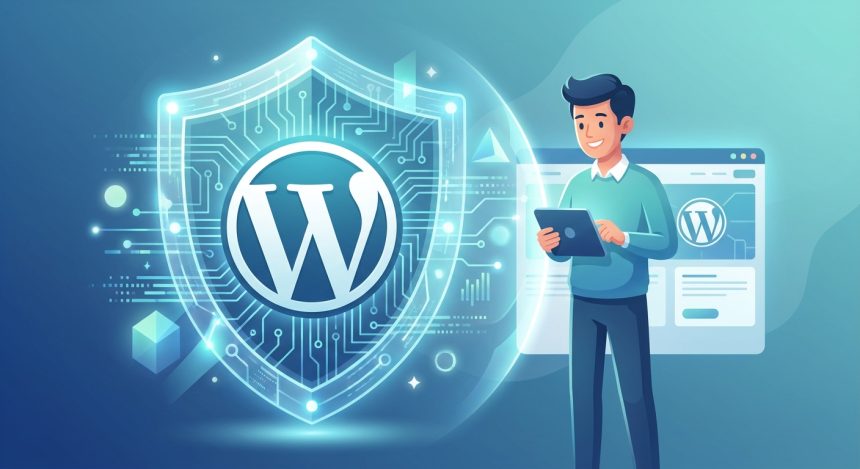
We know that the idea of protecting your site WordPress can sound overwhelming, especially if you're just starting out. We understand you perfectly. Web security is a complex field, full of technical terms and invisible threats. But what if I told you that Artificial Intelligence is here to change the rules of the game? With AI, shielding your WordPress from attacks and vulnerabilities is no longer a task exclusive to experts. Even if you're a total beginner, you can sleep soundly knowing your website is protected.

Contents
The Concern for Security: A Shared FeelingHow AI Transforms Your WordPress Security for BeginnersFirst Steps to Shield Your WordPress with AIContinuous Maintenance and OptimizationConclusion: Your WordPress, More Secure Than EverFrequently Asked Questions

At Biblioweb, we believe that technology should be an ally, not a barrier. That's why today we'll explore how AI becomes your digital bodyguard, allowing you to focus on what really matters: creating incredible content and growing your project. Get ready to discover a world where web security is within everyone's reach!

The Concern for Security: A Shared Feeling

Many entrepreneurs and content creators enthusiastically dive into the digital world. They build their website with WordPress, the most popular CMS on the planet. However, security is often perceived as an pending issue. What if my site gets hacked? Will I lose all my work? These questions are valid and generate anxiety.

The reality is that cyberattacks are constant. From brute-force attempts to malicious code injections. An unprotected site is an easy target. For a beginner, identifying and mitigating these threats is almost impossible without help. This is where Artificial Intelligence makes a difference.

How AI Transforms Your WordPress Security for Beginners

Artificial Intelligence is not a passing fad; it's a powerful tool. In the field of cybersecurity, its ability to analyze patterns is revolutionary. AI can process massive amounts of data. It detects anomalies that a human would take hours, or even days, to find. This is crucial for your WordPress security.

  • Proactive Threat Detection: AI learns from your site's normal behavior. Any unusual activity triggers an alert. This allows attacks to be stopped before they cause damage.
  • Real-time Vulnerability Analysis: Constantly scans your site. Identifies potential weak points in plugins, themes, or the WordPress core.
  • Advanced Spam Protection: Filters malicious comments and form submissions. Improves user experience and reduces server load.
  • Smart Firewalls: Adapts its protection rules dynamically. Blocks suspicious IP addresses and known attack patterns.
  • Smart Backup and Restoration: Some AI solutions can suggest when to back up. They can even automate restoration in case of an incident.

Imagine having a team of security experts working 24/7 for you. That's what AI offers your WordPress. It simplifies security management, making it accessible and effective for anyone, regardless of their technical level.

You Might Also Like

Not just plugins! 7 ninja tricks to make your WordPress an impenetrable fortress from day one.
⚠️ Beginner's Mistake! The 5 WordPress Installation Failures That Destroy Your Website (and how to avoid them)
Instalando WordPress: Checklist Pro para una web Segura y Optimizada desde el Minuto Cero (¡Con un toque IA!)
Your WordPress website isn't just any blog: Discover the tricks to monetize it and grow! 💰

First Steps to Shield Your WordPress with AI

You don't need to be a guru to start. There are plugins and services that integrate AI intuitively. Look for solutions that offer: ease of installation, clear control panels, and support. Some examples include plugins security with AI modules for malware detection or smart firewalls.

We recommend researching popular solutions. Read reviews and look for demos. Remember that investing in security is protecting your time and content. A good starting point is to explore the best security tools for WordPress that integrate AI. These tools often offer free or trial versions.

Continuous Maintenance and Optimization

Security is not a one-time event. It is a continuous process. AI helps you, but you also have a role. Keep your WordPress, themes, and plugins updated. Use strong passwords. Review the reports your AI tool provides. You will learn a lot about your site's behavior.

In addition to security, optimization is key. A fast site is a secure and efficient site. Learn more about WordPress speed optimization to complement your security efforts. Optimal performance and robust security go hand in hand.

Conclusion: Your WordPress, More Secure Than Ever

Artificial Intelligence has democratized web security. It is no longer a privilege of large companies. Now, you, as a beginner, can benefit from its advanced capabilities. With AI, your WordPress will not only be protected; it will be shielded. Gain peace of mind, protects your investment and focus on what you're passionate about.

At Biblioweb, we want to see you succeed. Security is the foundation of that success. Embrace AI and transform the way you protect your online presence. Your WordPress site will thank you!

Frequently Asked Questions

What kind of threats can AI detect on my WordPress?

AI is capable of detecting a wide range of threats. This includes brute-force login attempts, malware, SQL injections, XSS attacks, comment spam, and vulnerabilities in plugins or themes. Its strength lies in identifying anomalous patterns that traditional methods might overlook.

Do I need advanced technical knowledge to use AI on my WordPress?

Not at all! The beauty of AI security solutions is that they are designed to be intuitive. Many plugins and services are configured with a few clicks and perform most of the work autonomously. They strive to simplify security for users without advanced technical knowledge.


TAGGED:ArtificialDiscoverInteligenciacanrescateWordPress
Share This Article
Email Copy Link Print
Previous Article Wordpress - Tu WordPress bajo ataque: Guía rápida para novatos sobre cómo detectar y limpiar tu web (antes de que sea tarde). Your WordPress Under Attack: A Quick Guide for Beginners on How to Detect and Clean Your Site (Before It's Too Late).
Next Article Wordpress - ¡No solo plugins! 7 trucos ninja para que tu WordPress sea una fortaleza impenetrable desde el día uno. Not just plugins! 7 ninja tricks to make your WordPress an impenetrable fortress from day one.
como instalar wordpress - Cómo instalar WordPress: ¿CPanel, FTP o Instalación Rápida? Descubre el método perfecto para tu pro
Cómo instalar WordPress: ¿CPanel, FTP o Instalación Rápida? Descubre el método perfecto para tu proyecto (¡Tú eliges el camino para tu web!)
WordPress
wordpress instalacion - ¡Crea tu web YA! 💸 WordPress Instalación Gratis: Guía para montar tu sitio sin gastar un euro (¡y si
¡Crea tu web YA! 💸 WordPress Instalación Gratis: Guía para montar tu sitio sin gastar un euro (¡y sin ser un experto!)
WordPress
como instalar wordpress - De cero a héroe web: Descubre cómo instalar WordPress y empezar a crear tu página web hoy mismo (¡T
De cero a héroe web: Descubre cómo instalar WordPress y empezar a crear tu página web hoy mismo (¡Tu negocio te lo agradecerá!).
WordPress
Ilustración de fragmentos de código organizados en una carpeta, representando un gestor de snippets
WPCode: el gestor de snippets de WordPress que se ha vuelto imprescindible
WordPress Plugins
Advertisement

You May Also Like

Instalar WordPress - ¡Tu Primera Web en Minutos! 🚀 Cómo Instalar WordPress FÁCIL y RÁPIDO (¡sin sudar la gota gorda!)
WordPress

Your First Website in Minutes! 🚀 How to Install WordPress EASILY and QUICKLY (without breaking a sweat!)

July 17, 2026
wordpress instalacion - Instalación de WordPress: ¿Qué hosting necesitas para un rendimiento TOP con IA?
WordPress

Instalación de WordPress: ¿Qué hosting necesitas para un rendimiento TOP con IA?

24/07/2026
Crear wordpres - ¿Tu primera web en WordPress? Estos plugins son tu cheat sheet para triunfar sin dolores de cabeza
Web Development and Plugins

Your first WordPress website? These plugins are your cheat sheet to succeed without headaches

July 15, 2026
WordPress - ¡Adiós a la Lentitud! 🚀 Tu WordPress Volará: Aumenta el Límite de Memoria PHP en 3 Pasos (¡Guía para Novatos y E
Troubleshooting web errorsWordPress

Goodbye to Slowness! 🚀 Your WordPress Will Fly: Increase PHP Memory Limit in 3 Steps (Guide for Novices and Experts!)

July 15, 2026
Show More
  • More News:
  • WordPress
  • Discover
  • Create
  • instalación
  • Install
  • wordpress instalacion
  • Google
  • page
  • Create webpage
  • Plugins
  • WooCommerce
  • Yoast
  • instalando wordpress
  • future
  • instalando
  • create
  • I pay
  • Hosting
  • Guía
  • Install WordPress
BiblioWeb

Biblioweb.es

Web Technology News

Information you can trust: Stay up-to-date instantly with the latest news and live updates. From politics and technology to entertainment and much more.

YouTube Medium RSS

Links of interest

Subscribe now to receive real-time updates on the latest news!

Legal

  • Legal Notice
  • Terms and Conditions
  • Cookies Policy
  • Privacy Policy

Latest news

como instalar wordpress - Cómo instalar WordPress: ¿CPanel, FTP o Instalación Rápida? Descubre el método perfecto para tu pro

Cómo instalar WordPress: ¿CPanel, FTP o Instalación Rápida? Descubre el método perfecto para tu proyecto (¡Tú eliges el camino para tu web!)

29/07/2026
Continue reading
wordpress instalacion - ¡Crea tu web YA! 💸 WordPress Instalación Gratis: Guía para montar tu sitio sin gastar un euro (¡y si

¡Crea tu web YA! 💸 WordPress Instalación Gratis: Guía para montar tu sitio sin gastar un euro (¡y sin ser un experto!)

27/07/2026
Continue reading

© biblioweb.es 2026. All Rights Reserved.

Welcome to Foxiz
Username or Email Address
Password

Lost your password?

We use our own and third-party cookies for technical, analytics and, where applicable, marketing purposes. You can accept all cookies, reject them, or configure your preferences. More information

Necessary

Essential for the website to function. Always active.

Preferences

Allow remembering choices such as language or region.

Analytics

Help us understand how the website is used in order to improve it.

Marketing

Used to display relevant advertising and measure its effectiveness.