miércoles, 29 Jul 2026

Exclusive resources and tools for web design and development experts

Explore
BiblioWeb

Biblioweb.es

All About Web Technology

  • Start
  • Categories
    • Web Development and Plugins
    • AI & Web Automation
    • Cybersecurity and Web Security
    • WordPress Plugins
    • Web error solution
    • Web Hosting & Performance
  • WordPress
  • About Plugins
    • Yoast SEO
    • WooCommerce
    • Rank Math SEO
    • AI Engine
    • WP Rocket
    • WPCode
  • Tools
    • Generador de Contraseñas
    • Generador de Código QR
    • Contador de Palabras
    • Formateador JSON
    • Image to WebP Converter
    • Email Checker
  • Plugins Library
  • 🇪🇸 Español
  • 🇬🇧 English ✓
  • 🇩🇪 Deutsch
History
  • WordPress
  • WordPress plugins
  • Create website
  • WooCommerce
  • WordPress tricks
  • See everything
BiblioWebBiblioWeb
Font ResizerAa
  • News History
Search
  • Start
  • Categories
    • Web Development and Plugins
    • AI & Web Automation
    • Cybersecurity and Web Security
    • WordPress Plugins
    • Revolution
    • WooCommerce
    • Web Hosting & Performance
    • Troubleshooting web errors
    • Online Stores & Sales Funnels
  • WordPress
  • About Plugins
    • Rank Math SEO
    • AI Engine
    • WP Rocket
    • WPCode
  • Blog
    • 🇪🇸 Español
    • 🇬🇧 English ✓
    • 🇩🇪 Deutsch
  • My account
    • News History
  • Tools
    • Generador de Contraseñas
    • Generador de Código QR
    • Contador de Palabras
    • Formateador JSON
    • Image to WebP Converter
    • Email Checker
Have an existing account? Sign In
Follow Us
© 2026 Biblioweb. All Rights Reserved.
Cover » Blog » Goodbye to SEO Chaos! Install Yoast SEO on WordPress and Activate Your Google Superpower (Quick and Fun Guide)
Web Development and Plugins

Goodbye to SEO Chaos! Install Yoast SEO on WordPress and Activate Your Google Superpower (Quick and Fun Guide)

Adrian Alcala
Last updated: 15/07/2026 18:46
By Adrian Alcala
Share
10 Min Read
Instalar Yoast SEO - ¡Adiós al Caos SEO! Instala Yoast SEO en WordPress y Activa tu Superpoder para Google (Guía Rápida y Div
Learn to install Yoast SEO on WordPress easily. Activate your superpower for Google with our quick and fun guide. Optimize your website today!
SHARE

Do you feel like SEO is a dead-end maze? Are you overwhelmed by the idea that your content doesn't appear on Google? Relax! The time has come to say goodbye to that chaos. In this quick and fun guide, we will show you how to install Yoast SEO in WordPress and activate a real superpower 7. for your website. Get ready 7. for conquer search engines once and for all. With Yoast SEO, optimizing your content will be easier than you imagine, turning your website into a magnet for new visitors. It's time to shine!

Contents
¿Por Qué Necesitas Yoast SEO en tu WordPress?Guía Paso a Paso: Cómo Instalar Yoast SEO en WordPressYoast SEO Wizard Initial SetupFirst Steps with Yoast SEO: Optimize Your ContentAdvanced Features You'll LoveConclusion: Your SEO Superpower Is ActiveFrequently Asked Questions

Why You Need Yoast SEO on Your WordPress?

Imagine having a personal assistant guiding you every step of the way to improve your website's visibility. That's Yoast SEO. This plugin is an essential tool for any site WordPress, from personal blogs to online stores. It helps you understand what search engines want and how to present your content to them in the best way.

Its benefits are clear:

  • Improve your ranking: It gives you the keys for your pages to rank higher in Google results.
  • Increase organic traffic: More visibility means more visitors interested in what you offer.
  • Simple optimization: Forget the technical complexity of SEO. Yoast simplifies everything.
  • Total control: Manage titles, descriptions, sitemaps, and much more from one place.

It doesn't matter if you are a beginner or an expert. Yoast SEO adapts to your needs, offering clear and actionable suggestions.

Step-by-Step Guide: How to Install Yoast SEO in WordPress

It's easier than you think! Follow these simple steps and you'll have Yoast SEO running in minutes. Pay attention, because this is the way to install Yoast SEO in WordPress and start seeing results.

Step 1: Access your Administration Panel of WordPress

The first thing is to log in to your administration area of WordPress. Generally, you can do this by visiting tudominio.com/wp-admin. Enter your username and password.

You Might Also Like

Design Your Web ¡PRO! in WordPress: The Perfect Theme for a Brutal Impact (and AI tricks that will blow your mind) 🤯
Don't start without them! The 5 Essential WordPress Plugins Every Beginner Needs for a 10/10 Website
Your First Website in Minutes! 🚀 How to Install WordPress EASILY and QUICKLY (without breaking a sweat!)
No-code with Spreadsheets: Opportunity or Challenge for WordPress Agencies?

Paso 2: Dirígete a “Plugins” y “Añadir nuevo”

Una vez dentro, en el menú lateral izquierdo, busca la opción “Plugins“. Haz clic en ella y luego selecciona “Añadir nuevo”. Esta sección te permite buscar e instalar nuevas funcionalidades para tu sitio.

Paso 3: Busca “Yoast SEO”

En la barra de búsqueda que aparece, escribe “Yoast SEO”. Verás el plugin oficial de Yoast SEO en los first resultados. Asegúrate de que es el desarrollado por “Team Yoast”.

Step 4: Install and Activate the Plugin

Haz clic en el botón “Instalar ahora”. WordPress descargará e instalará el plugin automáticamente. Una vez finalizada la instalación, el botón cambiará a “Activar”. ¡Haz clic en él! Con esto, Yoast SEO estará activo en tu sitio.

Congratulations! You have already managed to install Yoast SEO in WordPress. Now it's time to configure it to get the most out of it.

Yoast SEO Wizard Initial Setup

After activating the plugin, Yoast SEO will guide you through an initial setup wizard. This process is crucial to adapt the plugin to your website and lay the groundwork for your SEO strategy.

It is vital to complete this wizard with accurate information. Do not skip any step. Proper configuration from the beginning will save you headaches and boost your site's visibility in search engines. This is your first big step towards SEO success.

The wizard will ask you about:

  • Your environment: If your site is ready to be indexed or still under development.
  • Site type: Blog, online store, portfolio, etc.
  • Your organization: Company or person name, logo.
  • Social profiles: Links to your social networks so Google can associate them with your brand.
  • Content type visibility: What types of posts or pages you want to appear in search results.

Follow the instructions. They are intuitive and will help you establish a solid SEO foundation.

First Steps with Yoast SEO: Optimize Your Content

With Yoast SEO active and configured, every time you edit a post or page, you will see a new Yoast SEO box below the content editor. This is where the daily magic happens.

Learn how to use it for each post:

  • Target keyword phrase: Enter your main keyword for that content. For example, if you write about how to create your first website in WordPress, that could be your key phrase.
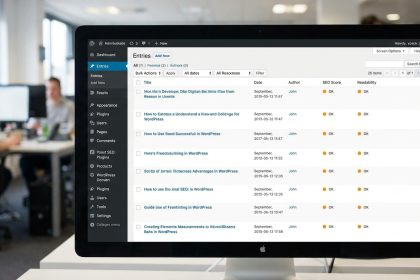
  • SEO Analysis: Yoast will give you a traffic light (red, orange, green) and suggestions to improve your SEO. It will tell you if your key phrase is in the title, in the first paragraph, if the density is correct, etc.
  • SEO Title and Meta Description: Edit how your content will appear in Google search results. Be creative and persuasive!
  • Readability analysis: Yoast also evaluates the readability of your text. Short sentences, brief paragraphs, and good structure are key.

Pay attention to the recommendations. They are your roadmap for optimized content. Remember that the goal is the green light, but content quality for the user always comes first.

Advanced Features You'll Love

Yoast SEO is not just for beginners. It offers powerful tools for more advanced users. Exploring these features will allow you to further refine your SEO strategy.

  • XML Sitemaps: Yoast automatically generates and updates your sitemap, helping Google index all your important pages.
  • Indexing Control: Decide which pages or types of content you want Google to index and which ones not. This is useful for thank you pages or duplicate content.
  • Breadcrumbs: Improves your site's navigation and user experience, in addition to helping Google understand your website's structure. Very useful, especially if you have a store and need SEO tips for WooCommerce stores.
  • Integration with Google Search Console: Connect your account to quickly see crawl errors and improve your visibility.

Explore each Yoast SEO configuration tab. You will discover new ways to optimize your online presence.

Conclusion: Your SEO Superpower Is Active

You did it! Now you know how to install Yoast SEO in WordPress and configure it to start dominating Google. There are no more excuses for SEO chaos. With this tool, you have the control to make your content reach more people, attract your target audience, and meet your business.

Remember, SEO is a marathon, not a sprint. Be consistent, create valuable content, and use Yoast SEO as your faithful companion. Your website is about to take off!

Frequently Asked Questions

Is Yoast SEO free?

Yes, there is a free version of Yoast SEO that offers all the functionalities essential for basic SEO optimization of your WordPress site. There is also a Premium version with additional features, but the free version is excellent for getting started.

Do I need programming knowledge to use Yoast SEO?

Not at all! Yoast SEO is designed to be very intuitive and easy to use, even for people without technical knowledge. The interface is clear and guides you with traffic lights and direct suggestions.

How long does it take to see SEO results with Yoast?

SEO is a continuous process. There is no exact time, as it depends on many factors such as competition, content quality, and your site's age. However, by using Yoast SEO correctly, you will start to see improvements in indexing and ranking within a few weeks or months.


Related services

Interested? Discover how we can help you.

Create WordPress from Scratch: Essential Plugins for Beginners →
Essential WordPress Plugins for Beginners: Your A+ Website! →
TAGGED:CaosInstallInstallInstall Yoast SEOYoast
Share This Article
Email Copy Link Print
Previous Article Crear WordPress - ¿Tu idea de negocio no arranca? 🚀 Con WordPress en 2 minutos, tu web estará lista antes que tu café. Your business idea not taking off? 🚀 With WordPress in 2 minutes, your website will be ready before your coffee.
Next Article WordPress - SEO Inteligente con Yoast: Prepara tu WordPress para las Actualizaciones de Google y Descubre cómo la IA Potencia Smart SEO with Yoast: Prepare Your WordPress for Google Updates and Discover How AI Powers Your Strategy
como instalar wordpress - Cómo instalar WordPress: ¿CPanel, FTP o Instalación Rápida? Descubre el método perfecto para tu pro
Cómo instalar WordPress: ¿CPanel, FTP o Instalación Rápida? Descubre el método perfecto para tu proyecto (¡Tú eliges el camino para tu web!)
WordPress
wordpress instalacion - ¡Crea tu web YA! 💸 WordPress Instalación Gratis: Guía para montar tu sitio sin gastar un euro (¡y si
¡Crea tu web YA! 💸 WordPress Instalación Gratis: Guía para montar tu sitio sin gastar un euro (¡y sin ser un experto!)
WordPress
como instalar wordpress - De cero a héroe web: Descubre cómo instalar WordPress y empezar a crear tu página web hoy mismo (¡T
De cero a héroe web: Descubre cómo instalar WordPress y empezar a crear tu página web hoy mismo (¡Tu negocio te lo agradecerá!).
WordPress
Ilustración de fragmentos de código organizados en una carpeta, representando un gestor de snippets
WPCode: el gestor de snippets de WordPress que se ha vuelto imprescindible
WordPress Plugins
Advertisement

You May Also Like

Wordpress - ¿Tu Yoast SEO te da dolores de cabeza? Resuelve los 7 Problemas Más Comunes y Deja tu WordPress Impecable (¡sin d
Troubleshooting web errors

Is your Yoast SEO giving you headaches? Solve the 7 Most Common Problems and Leave Your WordPress Impeccable (No Drama!)

July 15, 2026
WordPress - Más Allá de lo Básico: Desbloquea los Trucos Ocultos de Yoast SEO para Llevar tu WordPress al Siguiente Nivel (¡y
Web Development and Plugins

Beyond the Basics: Unlock Yoast SEO's Hidden Tricks to Take Your WordPress to the Next Level (and Rank First!)

July 15, 2026
Comparativa constructores web — ilustración sobre Más allá de Framer y Webflow: La comparativa de constructores web que interesa a tu agencia WordPress
Web Development and Plugins

Beyond Framer and Webflow: The web builder comparison that interests your WordPress agency

July 15, 2026
Instalar WordPress - ¡Olvídate de los manuales! 🤯 Instala WordPress más rápido que un TikTok y empieza a crear HOY.
Web Development and Plugins

Forget the manuals! 🤯 Install WordPress faster than a TikTok and start creating TODAY.

July 15, 2026
Show More
  • More News:
  • WordPress
  • Discover
  • Create
  • instalación
  • Install
  • wordpress instalacion
  • Google
  • page
  • Create webpage
  • Plugins
  • WooCommerce
  • Yoast
  • instalando wordpress
  • future
  • instalando
  • create
  • I pay
  • Hosting
  • Guía
  • Install WordPress
BiblioWeb

Biblioweb.es

Web Technology News

Information you can trust: Stay up-to-date instantly with the latest news and live updates. From politics and technology to entertainment and much more.

YouTube Medium RSS

Links of interest

Subscribe now to receive real-time updates on the latest news!

Legal

  • Legal Notice
  • Terms and Conditions
  • Cookies Policy
  • Privacy Policy

Latest news

como instalar wordpress - Cómo instalar WordPress: ¿CPanel, FTP o Instalación Rápida? Descubre el método perfecto para tu pro

Cómo instalar WordPress: ¿CPanel, FTP o Instalación Rápida? Descubre el método perfecto para tu proyecto (¡Tú eliges el camino para tu web!)

29/07/2026
Continue reading
wordpress instalacion - ¡Crea tu web YA! 💸 WordPress Instalación Gratis: Guía para montar tu sitio sin gastar un euro (¡y si

¡Crea tu web YA! 💸 WordPress Instalación Gratis: Guía para montar tu sitio sin gastar un euro (¡y sin ser un experto!)

27/07/2026
Continue reading

© biblioweb.es 2026. All Rights Reserved.

Welcome to Foxiz
Username or Email Address
Password

Lost your password?

We use our own and third-party cookies for technical, analytics and, where applicable, marketing purposes. You can accept all cookies, reject them, or configure your preferences. More information

Necessary

Essential for the website to function. Always active.

Preferences

Allow remembering choices such as language or region.

Analytics

Help us understand how the website is used in order to improve it.

Marketing

Used to display relevant advertising and measure its effectiveness.