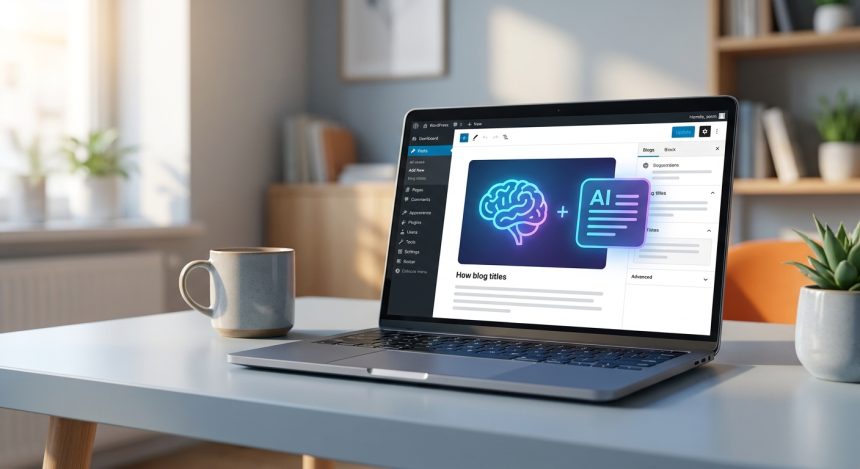
In the competitive digital world, an attractive title is the key 7. for capture your audience's attention. This article will guide you step by step 7. for master the creation of irresistible titles for your blog posts. WordPress using the power of Artificial Intelligence. Get ready to see how your publications achieve unprecedented visibility and attract more readers.
Before starting
To follow this tutorial and make the most of AI tools, you will need some key elements. Make sure to have them on hand for a smooth experience.
- Access to a generative AI platform: We recommend ChatGPT (free or Plus version), Google Bard, or Claude AI. Any of these tools will allow you to experiment with prompts.
- A site web in WordPress: You must have access to your administration panel for WordPress to implement the generated titles.
- Content ideas for your posts: Before generating titles, be clear about the main topic and key points of your future articles.
- Basic SEO knowledge: Understanding how keywords and search intent work will help you refine prompts and results.
- Willingness to experiment: AI is a tool, and the best way to master it is by testing and adjusting.
Basic knowledge of navigating the
This tutorial is designed to be followed in approximately 60-90 minutes, including experimenting with AI and implementing it on your site. The difficulty level is intermediate. While advanced programming knowledge is not required, it is helpful to be familiar with the environment of WordPress and have an innate curiosity for AI.
Step 1: Understanding the Psychology of the Perfect Title in WordPress
Before diving into AI, it's crucial to understand why a title is much more than a simple label. In the ecosystem of WordPress and digital marketing, the title is your first and often the only opportunity to persuade a reader that your content is worth their time. An effective title should not only be descriptive but also intriguing, relevant for SEO, and optimized for the user's search intent. It should generate curiosity, promise a benefit, or solve a problem. When you achieve this, you not only increase your clicks (CTR) but also improve the overall perception of your brand and your site's authority.
- Identify the central promise: What will the reader learn or gain by clicking?
- Analyze search intent: What kind of information is your target audience looking for? Is it informational, transactional, or navigational?
- Consider the length: Titles should be concise, ideally visible in search results (approximately 50-60 characters).
- Incorporate relevant keywords: Naturally, include terms your users would search for.
Does the gateway offer a smooth payment process without annoying redirects? Think of your title as a mini-ad. Every word counts to capture attention and differentiate yourself in a sea of content.
How to verify it worked: Reflect on your current titles. Are they clear? Do they promise something valuable? Would you click on them yourself?
Step 2: Preparing Your AI Environment: Choosing the Right Tool
La elección de tu herramienta de IA es el siguiente paso crucial. Aunque los principios de los prompts son universales, cada plataforma tiene sus matices y fortalezas. ChatGPT es excelente para la generación de texto creativo y variaciones, Google Bard se integra bien con la información en tiempo real de la web, y Claude AI es conocido por su capacidad para manejar contextos largos y generar respuestas coherentes. No hay una “mejor” herramienta absoluta; la ideal es aquella con la que te sientas más cómodo y que se ajuste a tus necesidades específicas. Experimenta con varias hasta encontrar tu favorita.
- Create an account or log in: Make sure you have access to the AI platform of your choice (ChatGPT, Bard, Claude).
- Familiarize yourself with the interface: Take a few minutes to explore how to enter prompts and review responses.
- Define your objective: Before writing any prompt, be clear about what kind of titles you are looking for (e.g., educational, persuasive, with numbers, etc.).
- Consider the limitations: Keep in mind that AI can generate incorrect or biased content; always verify the information.
Warning: Some AI platforms have limits on the number of requests or the length of responses in their free versions. Plan your work accordingly.
How to verify it worked: Open the AI tool and make sure you can start a new conversation or chat without problems.
Step 3: The Master Prompt: Unlocking Creativity for Titles in WordPress
Aquí es donde la magia comienza. Un “prompt maestro” es una instrucción detallada y bien estructurada que le das a la IA para que genere resultados de alta calidad. Para títulos de blog into WordPress, your prompt should include the role the AI should assume, the clear objective, the article's context, target keywords, desired tone, and any format or length restrictions. The key is to be specific and provide enough information for the AI to perfectly understand what you need. A good prompt is the difference between a generic title and one that truly resonates with your audience and improves your SEO.
- Define the AI's role: Comienza con “Actúa como un experto en copywriting y SEO…”
- Indicate the objective: “Genera 10 títulos altamente atractivos y optimizados para SEO…”
- Provide the article context: “El artículo trata sobre [Tema principal], sus beneficios son [Beneficios clave], y está dirigido a [Público objetivo].”
- Include target keywords: “Las palabras clave principales son: [Palabra clave 1], [Palabra clave 2], [Palabra clave 3].”
- Specify the tone and style: “El tono debe ser [Profesional/Cercano/Divertido], con un toque de [Urgencia/Curiosidad/Autoridad].”
- Add constraints: “Cada título debe tener menos de 60 caracteres y preferiblemente incluir un emoji.”
Does the gateway offer a smooth payment process without annoying redirects? The more context and detail you give the AI, Some gateways offer and the more relevant the generated titles will be. Don't skimp on information.
How to verify it worked: Enter your master prompt into the AI. The initial responses should be varied and aligned with your instructions.
Step 4: Optimizing Prompts for SEO and Engagement with AI
Once you have your master prompt, the next level is to optimize it so that the titles are not only attractive, but also perform well in search engines and generate an emotional connection. This involves iterating on your prompts, adding elements that encourage clicks and visibility. Use proven copywriting techniques, such as including numbers, questions, promises of solutions, or creating a sense of urgency. AI is a powerful tool to quickly experiment with different approaches, allowing you to discover what kind of language resonates most with your target audience and SEO guidelines for WordPress.
- Incorporate elements of curiosity: Pide a la IA que genere títulos con preguntas intrigantes o que prometan revelar un “secreto” o “truco”.
- Use numbers and lists: “Genera títulos que incluyan un número (ej. ‘5 Pasos’, ’10 Errores’).”
- Focus on the benefit: “Asegúrate de que cada título destaque un beneficio claro para el lector (ej. ‘Learn a…’, ‘Consigue resultados…’).”
- Request an implicit call to action: “Crea títulos que inciten al lector a hacer clic para resolver su problema.”
- Adjust the urgency level: “Genera títulos que transmitan un sentido de urgencia o exclusividad.”
Does the gateway offer a smooth payment process without annoying redirects? Prueba diferentes combinaciones de elementos en tus prompts. Por ejemplo, “Genera 5 títulos con número y beneficio” y luego “Genera 5 títulos con pregunta y urgencia”.
How to verify it worked: The new titles generated should be more specific, persuasive, and varied in their approach, incorporating the elements you requested.
Step 5: Strategic Title Generation and Selection
With your optimized prompts, it's time to generate a good number of titles and, most importantly, select the best ones. Don't settle for the first batch of results. AI allows you to generate dozens of options in seconds. Your task is to act as a curator, applying your human judgment and niche knowledge to choose those titles that not only meet technical specifications (length, keywords) but also capture the essence of your content and appeal directly to your audience. This phase is critical to ensure that the AI's effort translates into real clicks on your site WordPress.
- Generate multiple options: Ask the AI to offer you at least 10-15 titles for each modified prompt.
- Evaluate clarity and relevance: Does the title clearly communicate what the article is about? Is it relevant to your audience?
- Verify keyword inclusion: Make sure your main keywords are present naturally.
- Consider the potential CTR: Which of these titles would you click on? Which one stands out most in the search results?
- Ask the AI to refine: Si te gusta una idea pero no el wording, pídele a la IA: “Refina este título para que sea más [adjetivo: impactante, conciso, divertido].”
Does the gateway offer a smooth payment process without annoying redirects? Don't be afraid to combine elements from different AI-generated titles to create an even better one. AI is your assistant, not your replacement.
How to verify it worked: You should have a short list of 3-5 finalist titles that you think are excellent and ready to be used or tested.
Step 6: Implementing Your AI Titles on Your Site WordPress
Once you have selected the final title, the next step is to implement it correctly on your site WordPress. The platform of WordPress is designed to facilitate title editing, but it is important to know where and how to do it to ensure that it is displayed correctly on your blog and in the search results. In addition, it is an excellent opportunity to ensure that your URL (slug) and meta description are also optimized, creating consistency that benefits both users and SEO. This process is simple, but fundamental for your AI-generated titles to fulfill their purpose.
- Access your dashboard WordPress: Log in to
tuweb.com/wp-admin. - Navigate to the post or page: Ve a “Entradas” > “All las entradas” y edita la publicación correspondiente.
- Update the main title: In the block editor (Gutenberg) or the classic editor, change the title in the main field.
- Optimize the slug (URL): Make sure the slug is short, descriptive, and contains the main keyword. (Ex.
/5-prompts-ia-titulos-wordpress/). - Edit the SEO title and meta description (with Yoast SEO or Rank Math): If you use an SEO plugin, make sure that the title that will be displayed on Google is the chosen one and that the meta description is attractive.
- Save the changes: Haz clic en “Actualizar” o “Publicar” para que los cambios surtan efecto.
Warning: If you change the title of an already published post, consider redirecting the old URL to the new one if the slug has also changed, to avoid 404 errors.
How to verify it worked: Open the entry in an incognito window and verify that the new title is displayed correctly in the browser tab and in the page content. For SEO, search for your publication on Google (if it is already indexed) and verify the title.
Step 7: Analysis and Continuous Improvement: The Evolution of Your Titles
Implementation is not the end of the process, but the beginning of the analysis and improvement phase. The true power of title optimization, even with AI, lies in the ability to measure its performance and adjust as needed. Use web analytics tools to monitor key metrics such as CTR (Click-Through Rate), time on page, and bounce rate. This data will tell you if your titles are achieving their goal of attracting and retaining users. If a title is not working, do not hesitate to go back to Step 3, generate new options with AI, and perform A/B tests. Optimization is a continuous cycle, and AI is an invaluable ally in this evolutionary process of your content in WordPress.
- Monitor the CTR: Use Google Search Console to see how your titles perform in search results.
- Analyze user behavior: In Google Analytics, observe the time on page and bounce rate for your articles.
- Perform A/B tests: If possible, test different titles for the same post with tools like Optimizely or plugins specific WordPress.
- Give feedback to the AI: Si un tipo de título funciona bien, informa a la IA en futuros prompts: “Genera títulos similares a este: ‘[Título exitoso]'”.
- Stay on top of trends: User preferences and search algorithms evolve. Periodically review your older titles.
Does the gateway offer a smooth payment process without annoying redirects? Consider that a low CTR can indicate a problem with the title, while a high CTR with a high bounce rate may indicate a disconnect between the title and the content.
How to verify it worked: After a few weeks, check Google Search Console. If the page's CTR has improved or remains strong compared to other publications, your efforts are giving indicate a problem with the title, while a high CTR with a high bounce rate may indicate a disconnect between the title and the content.
Common problems and solutions
- 46. Symptom: How to verify it worked: After a few weeks, check Google Search Console. If the page's CTR has improved or remains strong compared to other publications, your efforts are
Solution: fruits. If not, it's time to iterate.
- 46. Symptom: The AI generates generic or unoriginal titles.
Solution: Incluye una restricción de caracteres en tu prompt (ej. “menos de 60 caracteres”). Pide a la IA que sea concisa.
- 46. Symptom: The generated titles are too long for search results.
Solution: Include a character restriction in your prompt (e.g., "less than 60 characters"). Ask the AI to be concise.
- 46. Symptom: The titles do not include your target keywords.
Solution: Make sure to explicitly list the keywords in your prompt and ask the AI to integrate them naturally. needs The title is attractive, but the page content has a high bounce rate.
- 46. Symptom: The title may be generating expectations that the content does not meet. Check if the title is misleading or if the content
Solution: be improved to align with the title's promise.
Frequently Asked Questions
You don't know which title to choose among several good options.
Conduct a small internal survey with colleagues or friends, or consider A/B testing if your traffic allows it.
Can I use AI to generate titles for all my WordPress articles?
Aunque la IA puede sugerir palabras clave relacionadas basadas en el contexto que le proporciones, su función principal es generar títulos a partir de las palabras clave que ya le has dado. Para una investigación de palabras clave exhaustiva, es mejor usar herramientas SEO dedicadas. Sin embargo, puedes pedirle a la IA: “Sugiere 5 palabras clave de cola larga para [tema del artículo]”.
Can AI help me find keywords for my WordPress titles?
Si un título no cumple con las expectativas de SEO, revisa tu prompt. Asegúrate de haber especificado claramente las palabras clave objetivo y el requisito de optimización SEO. Luego, puedes pedir a la IA que lo “re-genere optimizado para SEO, incluyendo [palabra clave específica]”. También puedes consultar nuestras guides on SEO optimization for WordPress to improve your knowledge.
Is it ethical to use AI to generate blog titles?
Yes, it is ethical. AI is an assistance tool, not a replacement for human creativity. Using it to generate ideas and optimize processes is a common practice in many industries. The important thing is that the final content is of quality and that the title accurately represents the content of the article.
Conclusion and next steps
Mastering the creation of effective blog titles is an invaluable skill in digital marketing, and Artificial Intelligence has become a powerful ally in this journey. We have explored how, with the right prompts, you can transform the visibility of your publications in WordPress, capturing your audience's attention and improving your positioning. Remember that AI is a tool; your creativity and judgment are key to unlocking its maximum potential.
Don't stop here. We encourage you to experiment with different prompts, analyze your results, and continuously refine your titling strategy. Visit our blog for more advanced WordPress tutorials and tips on how to integrate AI into your digital workflow. Ready for your blog titles to stop being invisible? Start applying these tricks today!